

Employee Directory 365 vs Eddy: Which Handles Your Employee Data Better in 2026?
_eH2jDg7dZ.png)
Most organizations don’t have an employee tool problem. They have a employee data problem.
Stale job titles. Missing profile photos. Manager fields left blank. Skills no one ever entered. Contact details that haven’t been touched since onboarding. When your employee data is messy, every tool built on top of it, your directory, your org chart, your AI-powered search, inherits that mess and amplifies it.
- Employee Directory 365 is built for employee search, profiles, and organizational visibility, while Eddy focuses on HR and workforce management.
- Seamless integration with Microsoft 365, SharePoint, Teams, and Azure AD makes employee data easier to access and maintain.
- Advanced search, employee profiles, and org charts help employees quickly find and connect with colleagues.
- Employee Directory 365 offers a focused and cost-effective solution for organizations needing an internal employee directory.
This is the lens through which Employee Directory 365 and Eddy need to be evaluated. Not just which has a cleaner interface, or which has more features on a spec sheet. The real question is: which platform treats your employee data as a strategic asset, and which one simply stores it?
Employee Directory 365 is a Microsoft 365-native directory platform built specifically to make employee data accurate, searchable, and trusted across your entire organization. Eddy is an all-in-one HR suite designed for small businesses, where employee data lives inside a broader system covering hiring, onboarding, payroll, and time tracking.
Both handle employee information. But how they collect it, maintain it, govern it, and put it to work for your teams is fundamentally different. This comparison breaks down exactly where those differences lie, and what they mean for your organization in 2026.
Why Employee Data Quality Is the Real Differentiator in 2026
Before diving into features, it’s worth understanding why employee data has become the defining issue in the employee directory space.
Research published by OneDirectory in early 2026 reveals a sobering picture of how most organizations actually manage their employee data. The average Microsoft 365 or Entra ID employee profile has only 30.8% of fields completed, meaning nearly 7 out of 10 profile fields are blank across a typical organization.
Only 33% of companies have what can be considered “directory-ready” profiles, where core fields like name, email, job title, and profile photo are consistently filled in. And just 27% of Entra ID tenants have profile photos for 80% or more of their employees, meaning the majority of staff appear as blank avatars across every Microsoft surface.
The implications go beyond aesthetics. When manager fields are incomplete, org charts break. When skills data is missing, expert discovery fails. When job titles are outdated, AI search produces confidently wrong answers. A better interface doesn’t solve this. A smarter search algorithm doesn’t solve this. Only better, more consistently governed employee data solves this.
This is the context in which Employee Directory 365 and Eddy must be compared. One platform was designed with employee data governance as a core mission. The other stores employee data in service of broader HR operations. Neither is wrong, but the fit depends entirely on what kind of problem you’re actually trying to fix.
Key Differences at a Glance
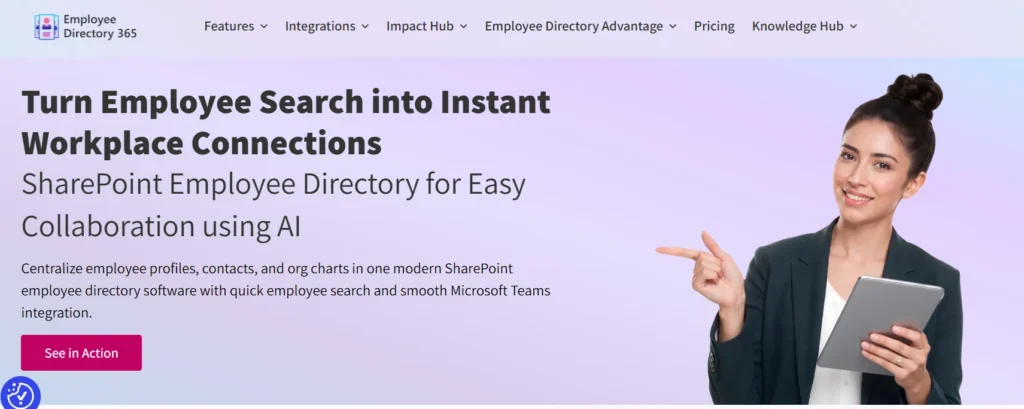
- Employee Directory 365 treats employee data as organizational infrastructure — synced automatically from Microsoft Entra ID, governed through completeness tracking, and surfaced through AI-powered search.
- Employee Directory 365 excels when employee data needs to be trusted, current, and accessible across the whole company daily.
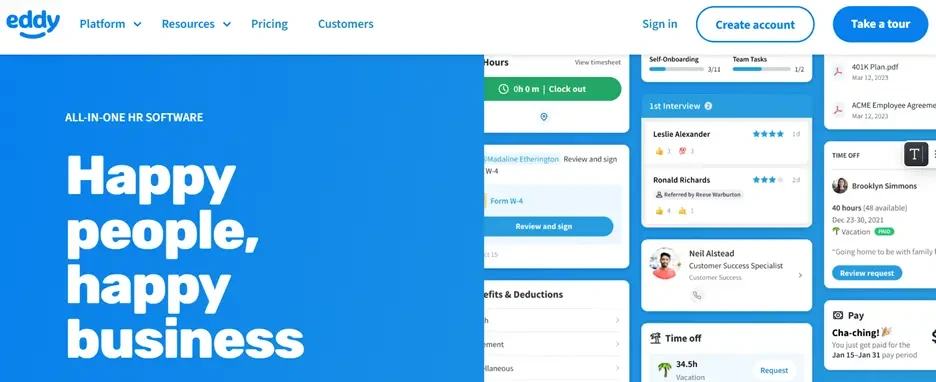
- Eddy centralizes employee data inside an HR operations platform — entered during onboarding, maintained through self-service, and used primarily by HR teams and managers rather than company-wide.
- Eddy excels when employee data needs to anchor a broader set of HR workflows — payroll, time tracking, performance, and compliance — in one place.
The data gap is where the stakes are highest: Employee Directory 365 has tooling specifically designed to find and fix missing data. Eddy depends on employees and HR maintaining profiles manually.
Use Cases: Where Each Platform Wins on Employee Data
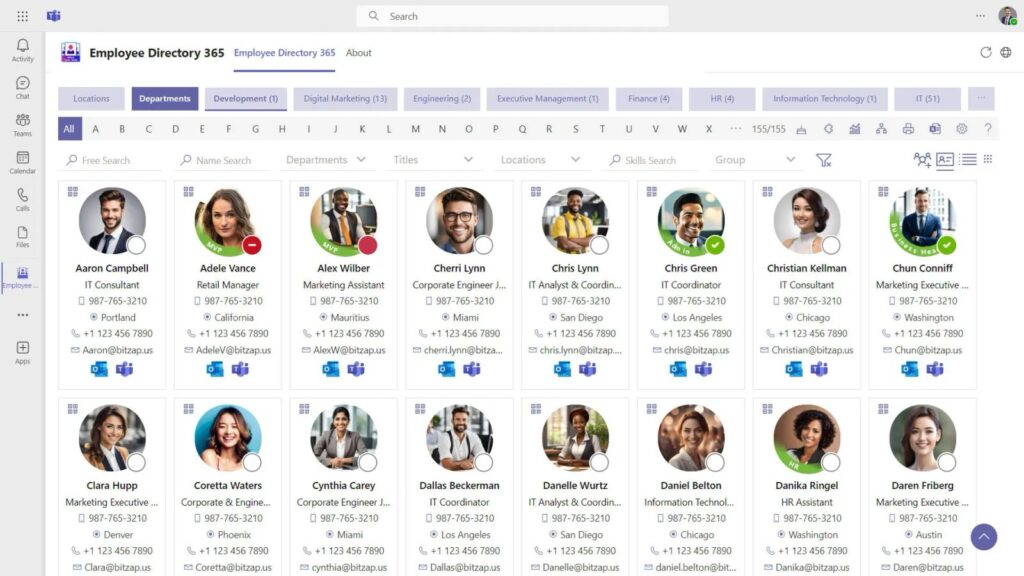
Choose Employee Directory 365 if…
- Your employee data lives in Microsoft 365 / Entra ID and you need it to be automatically accurate
- You need profile completeness tracking so you can see and fix data gaps across departments
- Your org has frequent changes — new hires, transfers, restructures — that must reflect immediately in the directory
- You want AI-powered employee search that actually works because the underlying data is clean
- You’re a mid-to-large organization where stale or incomplete employee data causes real operational friction
- You need enterprise-grade governance: role-based access, audit logs, and compliance controls around employee data
- You want employee data to power not just a directory but also org charts, desk booking, and workplace analytics
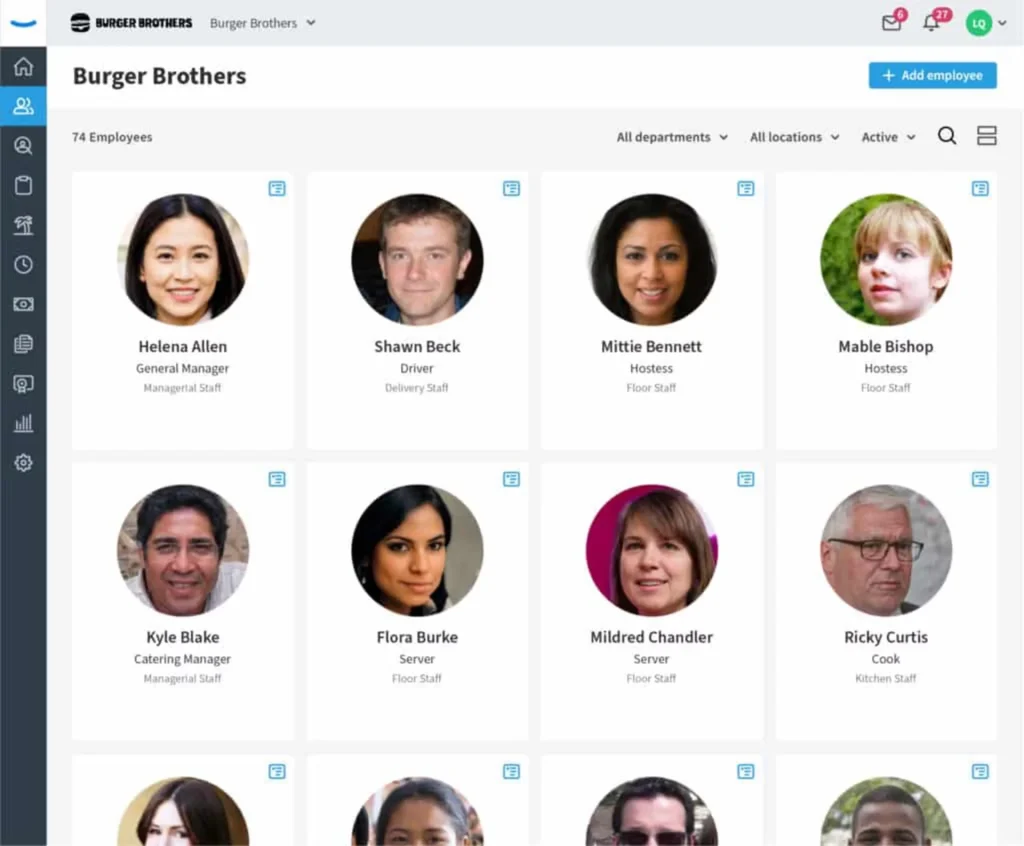
Choose Eddy if…
- You’re a small business that needs a centralized home for employee records — and HR operations around them
- Your employee data challenge is organizing scattered paper records and spreadsheets into a single digital system
- You want employee profiles tied directly to onboarding, payroll, documents, and time tracking
- Self-service profile management by employees is sufficient for your data accuracy needs
- You don’t have a Microsoft 365 infrastructure and need a standalone HR platform
- Employee data governance and completeness reporting aren’t current priorities
Feature Comparison: Employee Data Handling
Employee Data Capability | Employee Directory 365 | Eddy |
Data source / sync | Auto-syncs from Microsoft Entra ID in real time | Manual entry and self-service updates by employees |
Profile completeness tracking | Built-in completeness scores; flags missing fields across departments | No dedicated completeness tracking feature |
Profile fields | Rich, customizable: skills, expertise, location, WFH status, pronouns, photo, custom attributes | Standard: contact info, role, documents, notes, job history |
Automated reminders for stale data | Yes — alerts for outdated or incomplete profiles | Limited — depends on HR team to chase updates |
Org chart accuracy | Auto-generated from live Entra ID manager relationships | Basic hierarchy; manual maintenance required |
Employee search quality | AI-powered: search by name, skill, department, tag, location | Filter-based search; functional but not AI-enhanced |
Data governance controls | Role-based access, audit logs, field-level visibility controls, SOC 2 / ISO 27001 certified | Standard role permissions, GDPR/CCPA/HIPAA compliant |
Profile data ownership | System-maintained via Entra ID; employees can supplement | Employee self-service; HR owns master records |
Skills and expertise capture | Dedicated skills and expertise fields; expertise-finder for project staffing | Basic notes and profile fields; no expertise-finder |
Employee analytics | User analytics dashboard: adoption, completeness by department, engagement metrics | HR-focused reporting: headcount, turnover, time-off |
Data reliability for AI tools | Designed to be AI-ready: clean, complete, consistent profiles | Profiles vary in completeness; not specifically AI-optimized |
Best-fit org size for employee data | Mid-to-large organizations with complex, fast-changing employee data | Small businesses with simpler, more stable employee populations |
Deep Dive: How Employee Directory 365 Handles Employee Data
The Entra ID Foundation
The most important thing to understand about Employee Directory 365’s approach to employee data is where it starts: Microsoft Entra ID (formerly Azure Active Directory). For organizations already running on Microsoft 365, Entra ID is already the authoritative source for identity and employee information. Employee Directory 365 connects directly to this source and syncs continuously, meaning any change made in Entra ID appears in the directory automatically.
New hire added to Entra ID on Monday morning? They’re in the directory by Monday afternoon. Department restructure processed by IT on Wednesday? The org chart reflects it by Wednesday. No HR team member needs to manually update anything. The employee data maintains itself because it’s tied to the system that already owns identity management.
This is a fundamental architectural advantage over platforms that rely on manual data entry or periodic imports. When employee data is automatically sourced from the system of record, the drift between what’s true and what the directory shows is dramatically reduced.
Profile Completeness Tracking: Seeing the Gaps
One of the most operationally valuable features in Employee Directory 365 is its profile completeness tracking capability. Rather than just displaying whatever data exists in Entra ID, the platform actively scores each profile for completeness, flagging missing fields across contact details, job information, skills, photos, and custom attributes.
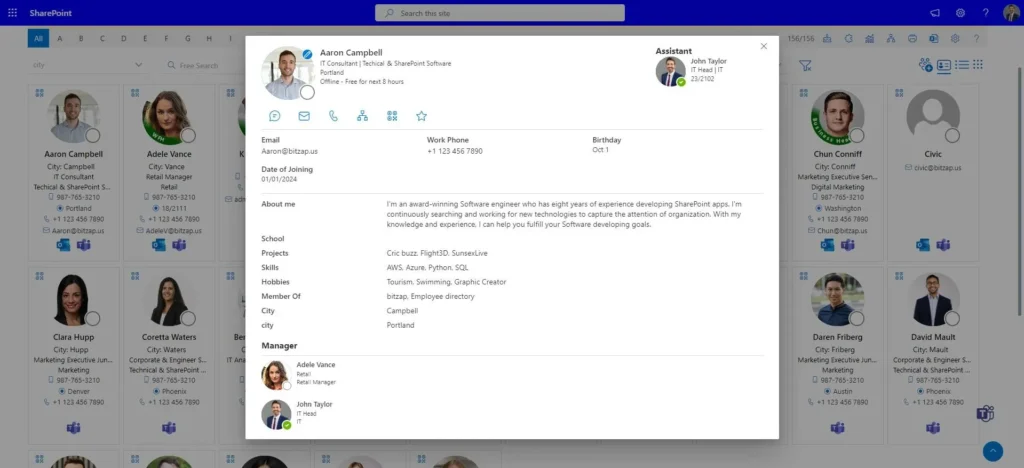
HR and IT administrators can see completeness rates by department, by location, or across the entire organization. They can identify which profiles are missing photos, which managers have broken reporting lines, which employees haven’t added skills or location data. The platform can send automated reminders to department heads and employees when profiles are incomplete or when data appears outdated.
This turns employee data quality from a passive problem into an active, measurable initiative. Instead of discovering broken org charts only when someone complains, organizations can proactively monitor and improve their employee data health over time.
AI-Powered Search That Actually Works
Employee Directory 365 includes AI-enhanced search that goes well beyond basic name matching. Employees can find colleagues by skill, department, expertise, location, role, or custom tags. The search is forgiving, handling partial names, keyword matching across profile fields, and relevance ranking that surfaces the most likely match first.
But here’s the critical dependency: AI-powered employee search is only as good as the employee data behind it. When profiles are complete, with skills captured, photos loaded, locations set, and roles accurate, the search becomes genuinely useful. When profiles are skeletal, even the best search algorithm struggles to surface the right person for the right reason.
Employee Directory 365’s completeness infrastructure is what makes its AI search investment pay off. The two capabilities reinforce each other in a way that’s difficult to replicate when employee data is maintained manually.
Engagement Features Built on Good Data
When employee data is trustworthy, it enables a whole category of engagement features that simply don’t work on stale data. Employee Directory 365 includes employee spotlight, birthday and work anniversary notifications, WFH status, Outlook pronouns integration, and a praise feature, all built on live, accurate profile information.
These aren’t cosmetic additions. When employees see accurate, up-to-date information about their colleagues, real photos, current roles, correct departments, they trust and use the directory. Trust drives adoption. Adoption drives the ongoing data quality that makes every other feature more valuable.
Deep Dive: How Eddy Handles Employee Data
Centralized Employee Records for Small Business
Eddy’s approach to employee data is grounded in a different starting point: the small business that’s still managing employee information through spreadsheets, paper forms, and email chains. For these organizations, the step up to Eddy represents a significant improvement — all employee records in one place, accessible to HR, managers, and employees through a clean web and mobile interface.
Each employee in Eddy has a profile that stores contact information, job details, personal data, employment history, documents, training records, and notes from performance conversations. HR teams appreciate that everything related to an employee, from their original offer letter to their most recent performance review, lives in one place rather than scattered across multiple systems.
This centralization is Eddy’s primary employee data strength. It’s not about sophisticated governance or AI-readiness, it’s about moving from chaos to order, which for many small businesses is exactly the right priority.
Self-Service Data Maintenance
In Eddy, employee profiles are maintained primarily through self-service. Employees can log in, update their contact details, add personal information, and access their own documents. New hires complete their profile information as part of the onboarding workflow, which means data starts life in the system at the point of hiring rather than being retrofitted later.
This works well when employee populations are stable and relatively small. When a team of 80 employee can be personally reminded by an HR manager to update their profiles, self-service maintenance is adequate. As organizations grow or become more distributed, the self-service model creates data drift, profiles that were accurate six months ago gradually become stale as roles change, locations shift, and skills evolve without anyone triggering an update.
Where Eddy’s Employee Data Shows Limitations
Review feedback from Eddy users points to a few recurring friction points around employee data. The employee database search function requires navigating back to the main employee list between profiles, which slows workflows that involve accessing multiple employee records in sequence. Reporting capabilities are described as limited by some users, those who want deeper analytics on employee data completeness, profile engagement, or directory usage find the current reporting tools insufficient.
There’s also no dedicated mechanism in Eddy for tracking profile completeness across the organization. HR teams who want to know how much of their employee population has completed their profiles, or which departments have the most data gaps, have to assess this manually.
For small businesses with stable, manageable headcounts, these limitations are workable. For growing organizations with more complex employee data needs, they become real constraints.
Employee Data in Context of HR Operations
Where Eddy genuinely shines is in connecting employee data to the operational workflows built around it. An employee’s profile in Eddy isn’t just a contact card, it’s the anchor for their onboarding checklist, their time-off balances, their payroll information, their performance notes, and their training certifications. When HR needs to pull a report on headcount by department, or check which employees are missing required training completions, the employee data in Eddy has direct operational value.
This integration between employee data and HR processes is Eddy’s distinctive advantage. The directory component and the HR operations component are the same system, which means HR teams aren’t managing data in two places or building integrations between separate tools.
What Users Actually Say
On Employee Directory 365
Users consistently highlight how the auto-sync from Microsoft 365 eliminates the maintenance burden that previously fell on HR or IT teams. The profile completeness tracking is frequently cited as valuable for identifying and resolving data gaps before they cause problems. Search functionality draws praise for its speed and accuracy. G2 recognizes Employee Directory 365 among top-rated solutions for its intuitive UI and security.
The platform’s compliance certifications, SOC 2 Type II, ISO/IEC 27001:2022, and GDPR compliance, are noted as important for enterprise IT governance requirements. The zero trust security model and audit log capabilities matter to organizations in regulated industries.
On Eddy
Eddy users consistently praise the platform’s cleanliness and ease of use. The onboarding workflow automation receives strong marks, new hires completing paperwork before their first day is a tangible improvement over manual processes. Users appreciate having payroll, time tracking, and employee records in one place
The friction points cluster around employee data specifically. Multiple users note the awkwardness of navigating between employee profiles in the directory. Reporting limitations are a recurring theme among HR managers who want more insight into their employee data. Customization constraints surface for organizations with specific process requirements that don’t fit Eddy’s standard workflows.
The Employee Data Problem Neither Tool Solves Alone
It’s worth being direct about a gap that exists across the market, not just with these two tools: most organizations underestimate how broken their employee data already is before they implement a new directory.
The 2026 benchmark data is stark. When the average Microsoft 365 organization has only 31% of profile fields completed, layering a new directory interface over that data produces a nicer-looking version of the same problem. What separates genuinely effective employee data management from window dressing is whether the platform actively helps organizations find, measure, and fix their data gaps, not just display whatever data currently exists.
Employee Directory 365 has invested specifically in this capability through its completeness tracking and automated reminder infrastructure. Eddy provides a clean container for employee data but doesn’t offer equivalent tooling for measuring or improving data quality at scale.
Conclusion
In 2026, both Employee Directory 365 and Eddy help organizations manage employee information, but they serve different needs. Eddy is a broader HR platform focused on hiring, onboarding, and workforce management, while Employee Directory 365 specializes in employee search, profiles, org charts, and internal collaboration. For organizations using Microsoft 365 and looking to improve employee visibility, communication, and access to accurate staff information, Employee Directory 365 offers a more focused and seamless solution.
Join Our Creative Community
Frequently Asked Questions
How does Employee Directory 365 keep employee data accurate?
It syncs directly and continuously with Microsoft Entra ID, which means any identity or HR system change flows into the directory automatically. Completeness tracking then identifies gaps, and automated reminders prompt employees and managers to fill in missing information.
Does Eddy have profile completeness tracking?
Eddy does not include dedicated profile completeness tracking or scoring. Data completeness depends on employees keeping their own profiles updated and HR teams manually monitoring gaps.
Can Eddy's employee data power AI-based search?
Eddy’s search is filter-based rather than AI-enhanced. It’s functional for small teams but isn’t designed to deliver the kind of intelligent, keyword-driven, skills-based employee discovery that AI-powered search offers.
Is Employee Directory 365's employee data suitable for AI copilots?
Yes. ED365 is specifically designed to produce clean, complete, consistent profile data — the kind of input that AI workplace tools like Microsoft Copilot need to deliver accurate results. Incomplete or inconsistent employee data causes AI tools to produce unreliable answers regardless of how sophisticated the AI model is.
Which tool is better for a distributed, fast-changing organization?
Employee Directory 365. The automatic sync from Entra ID means the directory keeps pace with org changes without manual intervention. Eddy’s self-service model works better in stable, smaller teams where manual updates are manageable.
Can both tools handle role-based access to sensitive employee data?
Yes, both platforms offer role-based access controls. Employee Directory 365 includes field-level visibility controls and audit logs with enterprise compliance certifications. Eddy provides standard HR role permissions with compliance for GDPR, CCPA, and HIPAA.


_JiluXJRGNl.svg)























