
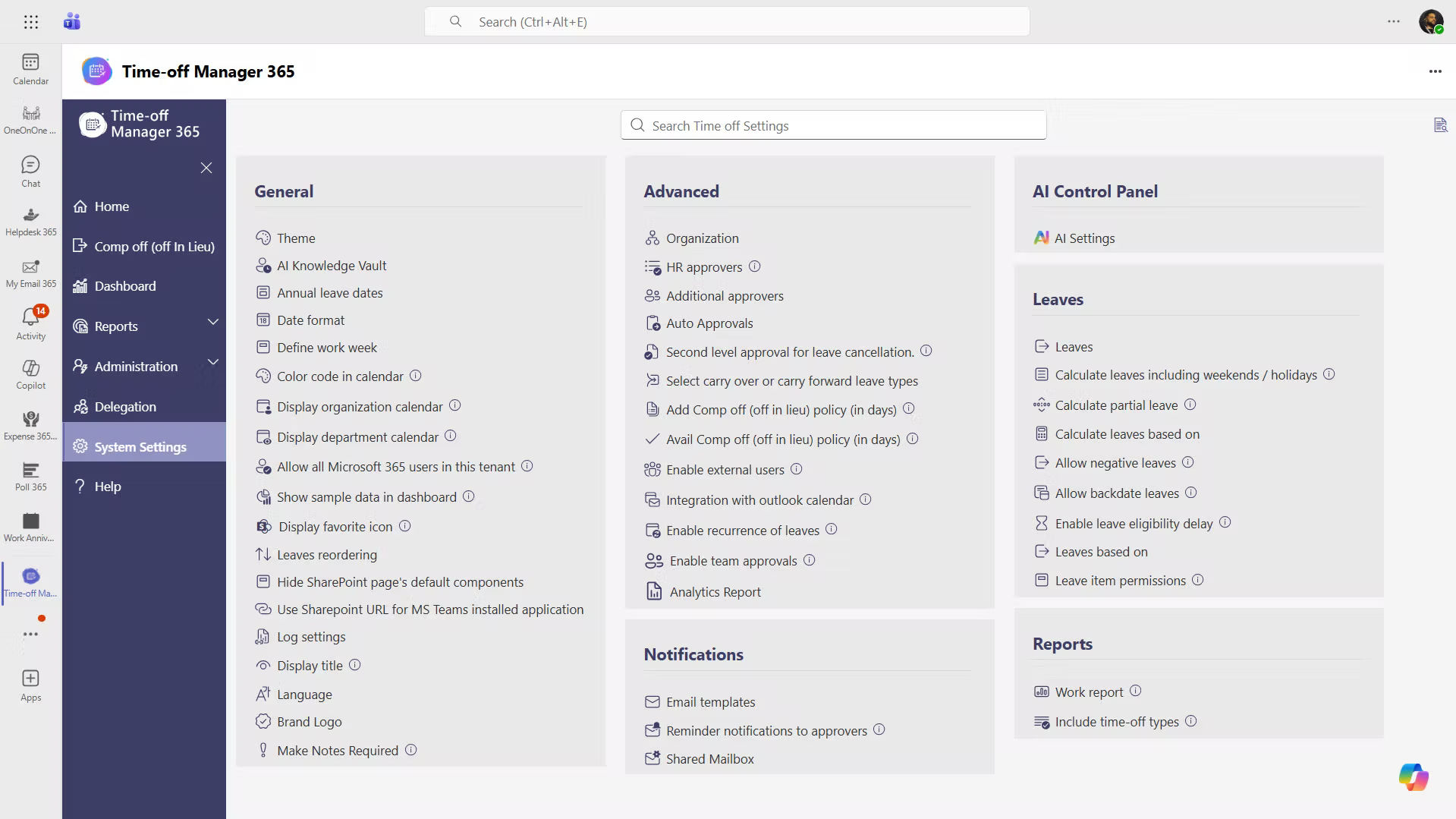
Time off Manager 365 + Microsoft Teams
Your Centralized Leave Management Hub

Time Off Manager 365 integrates with Microsoft Teams, allowing employees to request leave, check balances, and track approvals directly within Teams. Managers can review and approve requests easily without switching applications. 

Microsoft teams integration

Handle Leave Requests Without Leaving Microsoft Teams

Time off Manager 365 is an application that is compatible with Microsoft Teams, which unites leave requests, approvals, and the availability of employees in a single workspace. Employees and managers do not have to change platforms to manage time off.  

HR teams can easily review requests, keep track of leave balances and keep records with real time updates. It is also a teams vacation tracker, which allows teams to be more organized and schedule better.

Time off Manager

Plan and Manage Employee Leave Directly in Microsoft Teams

Time off Manager 365 is integrated with Microsoft Teams, which means that employees can request leave and managers can review approvals without leaving Teams. 

custom

Request Leave in Microsoft Teams

Employees can submit time-off requests directly inside Microsoft Teams without switching to another application.

custom

Approve Leave Faster

Managers can review and approve leave requests within Teams, helping speed up the approval process.

notification

Track Team Availability

HR and managers can easily view employee leave and team schedules to plan work more effectively.

Teams Integration for Time Off

Microsoft Teams integration allows employees to submit leave requests, check leave balances, and managers to review approvals directly within the Teams workspace. 

With the capability to store leave requests, approvals and records in a single location, teams can manage their time off more effectively without having to switch between applications. 

Microsoft teams helpdesk integration

Manage your Leave with Microsoft Teams Integration

Leave requests, approvals, and updates stay connected in one simple workflow within Microsoft Teams. 

integrations

Frequently Asked Questions

A leave tracker in Teams enables employees to make time-off requests in Microsoft Teams. Managers are able to view, accept or decline requests as the HR teams can monitor leave balances and keep proper records in a single centralized workspace. 

Yes, a Microsoft Teams vacation tracker can help organizations to organize the time off of employees effectively. It allows employees to request vacation days, check balances of remaining leaves and get updates on approval without leaving Teams.  

Microsoft Teams vacation calendar will give a clear picture of the leave schedule of employees. It enables managers and teams to easily visualize who is on vacation, prevent scheduling conflicts and plan projects or workloads more efficiently. 

Through a vacation tracker, employees are able to make time-off requests. The request will automatically be submitted to the manager to be approved, and this way, the process will be faster, and all leave data will be structured within Teams.  

Managers receive notifications for new leave requests and can review details inside the teams vacation tracker. They can approve or reject requests instantly, helping speed up the approval process and maintain clear communication with employees. 

Yes, with a leave tracker in Teams or a Microsoft Teams vacation calendar, managers and team members can easily check the availability of employees, upcoming vacations, and team schedules can be planned more effectively. 

A Teams vacation tracker can assist companies in handling leave requests, approvals, and schedules of workers in a single location. It enhances transparency, minimizes manual HR activities and makes sure that teams can always see the availability of employees. 

Schedule a free personalized 1:1 demo

By proceeding, you accept Cubic Logics’s terms and conditions and privacy policy

"Outstanding product that combines ease of use, robust security, and cut Expenses."
Try It Free, No Obligation
By proceeding, you accept Cubic Logics’s terms and conditions and privacy policy
"Exceptional tool that delivers seamless integration, powerful features, and unmatched reliability."

Please provide your contact details, we will connect with you soon!

Please provide your contact details, we will connect with you soon!

Request for the custom price​

By proceeding, you accept Cubic Logics Terms and Conditions and Privacy Policy

Schedule a free personalized 1:1 demo

By proceeding, you accept Cubic Logics’s terms and conditions and privacy policy

"Outstanding product that combines ease of use, robust security, and cut Expenses."
Request of the Free License

By proceeding, you accept Cubic Logics Terms and Conditions and Privacy Policy





















