
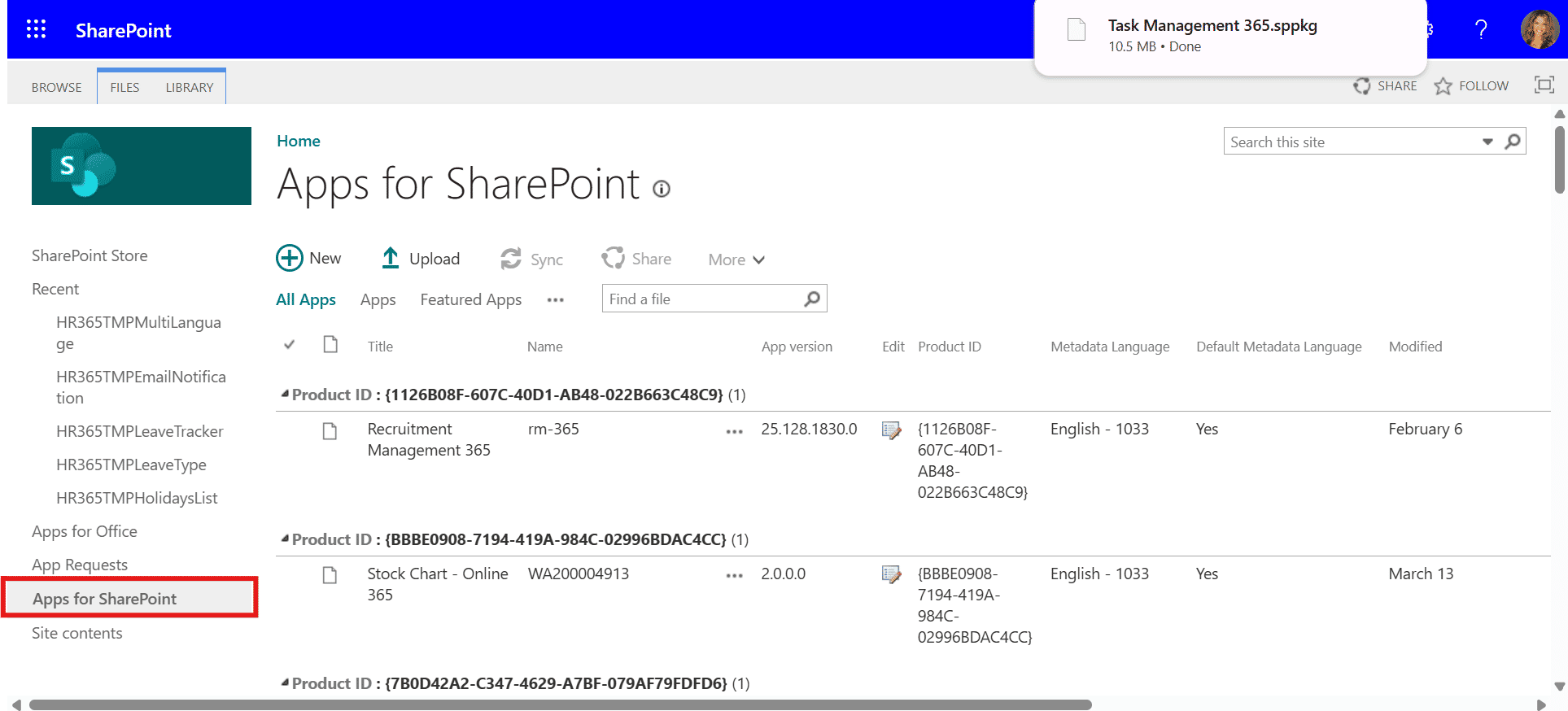
Task Management 365 + SharePoint
A Simple Way to Manage Tasks

Your team already does everything in SharePoint, so tasks should live there too. When work, updates, and support requests all happen in the same place, there is no app switching or wasted time. It is simple, organized, and makes everyone’s day run smoother. 

SharePoint integration

Easy Access to Everything You Need with SharePoint

Task Management 365 works together with SharePoint, thus all your task documents, templates, and project information are where you want them to be. You can monitor your SharePoint task dashboard, execute Power Automate task flows, or look at Power BI task reports all in one place without the stress of switching between apps. This helps you to keep your work arranged, your team on the same page, and your task management very easy. 
share

Get More Done with SharePoint in Task Management 365

Create and customize workflows with ease, monitor the development instantly, and allocate duties without misunderstanding. Utilizing SharePoint Task Management can empower your team to do intelligent work, keep up with time, and constantly complete projects without any stress. 

share

SharePoint Tasks can be Managed

Put together SharePoint tasks, establish through clearer and track progress with ease. Keep your projects on the correct timeline and do not stress over work. You have all the necessary things for task management that are simple and fast.

automated

Your SharePoint Task Dashboard

A clear task dashboard lets you see all your SharePoint tasks at once. You can easily assign priorities to your tasks, monitor your performance, and keep your workflow neat to stay ahead in every project.

automated

Top with SharePoint Task List

A SharePoint task list can be utilized to have a central point for monitoring the progress of all your projects. Get the benefits of instant updates, exert control over everything, and manage your work easily.

Security

Smart Scheduling

Be in control of the timeline with a live calendar and by arranging your responsibilities without any stress. Smart scheduling gives you the chance to manage time intelligently, improve output, and keep each project aligned.

report

Keep Your Work Safe & Protected

Microsoft 365 offers you a secure gate to stand behind all your information. The complete protection and excellent way of retrieving your data are constantly provided.
report

Stay Informed in Real Time

Receive immediate notifications of your team's progress, changes, and critical actions thereby keeping them all informed. Ensure constant communication within the team and capture every single detail.

Simplify Teamwork with SharePoint Integration

Merging SharePoint with Task Management 365 is a quick and easy method of managing tasks. Colleagues can cooperate with SharePoint’s functionalities, namely, tasks, planners, and trackers, to keep tasks, plans and updates through SharePoint task management in one place. This properly structured method keeps the communication flowing among the team members, reduces the time lost, and makes the necessary information available to the team so that the work gets done efficiently. Real-time alerts and convenient access to the task information foster cooperation among the team members and assure that your projects will be completed on time. 

SharePoint helpdesk integration

Centralize Your Work with SharePoint Task Management 365

SharePoint integration in Task Management 365 brings tasks, updates, and files into one clear workspace. Teams can track progress, manage tasks, and collaborate faster without switching between tools. 

integrations

Frequently Asked Questions

Consolidate all your workload, corrections, and projects in one venue without having to change the application. Keep things organized and your team working smoothly. 

Get a complete view of the work, set priorities, and see the progress very easily. Distribute the workload according to the schedule and keep the group working.  

For sure! Organize your daily tasks, deadlines, and projects through the live calendar and get done with it faster without any pressure.  

The security measures of Microsoft 365 protect all files and tasks, thus your data being safe and accessible only to your team.  

Distribute tasks, give real-time notifications for updates and roles, and have one workspace. Categorical understanding by all makes the cooperation more productive. 

Certainly! Monitor different projects using the SharePoint task lists and trackers, get quick updates, and stay completely informed about the due dates. 

Schedule a free personalized 1:1 demo

By proceeding, you accept Cubic Logics’s terms and conditions and privacy policy

"Outstanding product that combines ease of use, robust security, and cut Expenses."

Offer is expiring soon!
Fill in your details below to receive your personalized coupon code.

Try It Free, No Obligation
By proceeding, you accept Cubic Logics’s terms and conditions and privacy policy
"Exceptional tool that delivers seamless integration, powerful features, and unmatched reliability."

Please provide your contact details, we will connect with you soon!

Please provide your contact details, we will connect with you soon!

Request for the custom price​

By proceeding, you accept Cubic Logics Terms and Conditions and Privacy Policy

Schedule a free personalized 1:1 demo

By proceeding, you accept Cubic Logics’s terms and conditions and privacy policy

"Outstanding product that combines ease of use, robust security, and cut Expenses."

Request of the Free License

By proceeding, you accept Cubic Logics Terms and Conditions and Privacy Policy






















