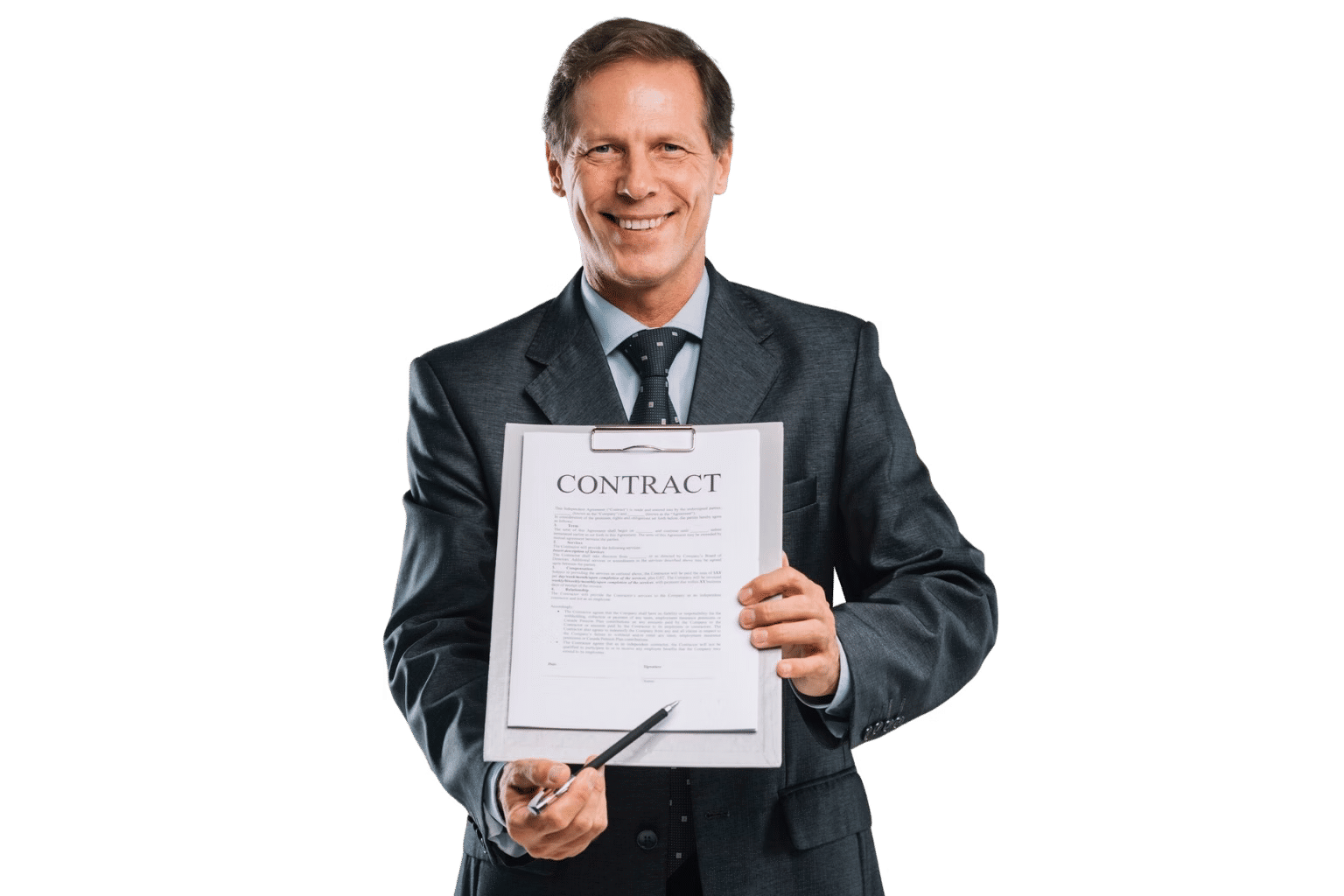









Contract Management for Government

Local Folders Were Never Designed
to Manage Government Contracts

CLM 365 is built within the Microsoft ecosystem, giving government organizations a secure way to manage the entire contract lifecycle with AI-powered tools and automated workflows. Your contract data stays within your Microsoft 365 tenant. 

Live inside Microsoft 365 in minutes

 Built on SharePoint & Microsoft Teams

4.9/5 (20)

Start with 14-Days Free Trail

CLM-Industry

Trusted by 12,100+ deployments from 172 countries

SOC
SOC 2
ISO
Microsoft
Best ROI
Momentum
Best SUpport
Microsoft Azure
Great Place to Work

What is Government Contract Management Software?

Government contract management software is a centralized solution that helps government organizations create, review, approve, sign, and manage contracts throughout their lifecycle. Contract management for government provides a structured way to manage procurement agreements, vendor contracts, service agreements, NDAs, and other government contracts. 

Key benefits 

  • Find Every Contract When You Need It: Keep procurement, vendor, service, and other government contracts in one centralized repository, with the latest documents and contract details easy to access.  
  • Stay Ahead of Critical Deadlines: Track renewals, expirations, approvals, and contractual obligations with automated workflows and notifications, reducing the risk of missed requirements.  
  • Know Who Did What and When: Maintain a clear record of contract changes, reviews, approvals, and signatures to support accountability and audit readiness.  

What Happens Without a Centralized Government Contract Management System?

Government contracts involve multiple departments, approval stages, regulatory requirements, and ongoing obligations. When contract information is spread across emails, shared drives, and spreadsheets, maintaining control, accountability, and compliance becomes increasingly difficult. 

Critical Dates Need Visibility

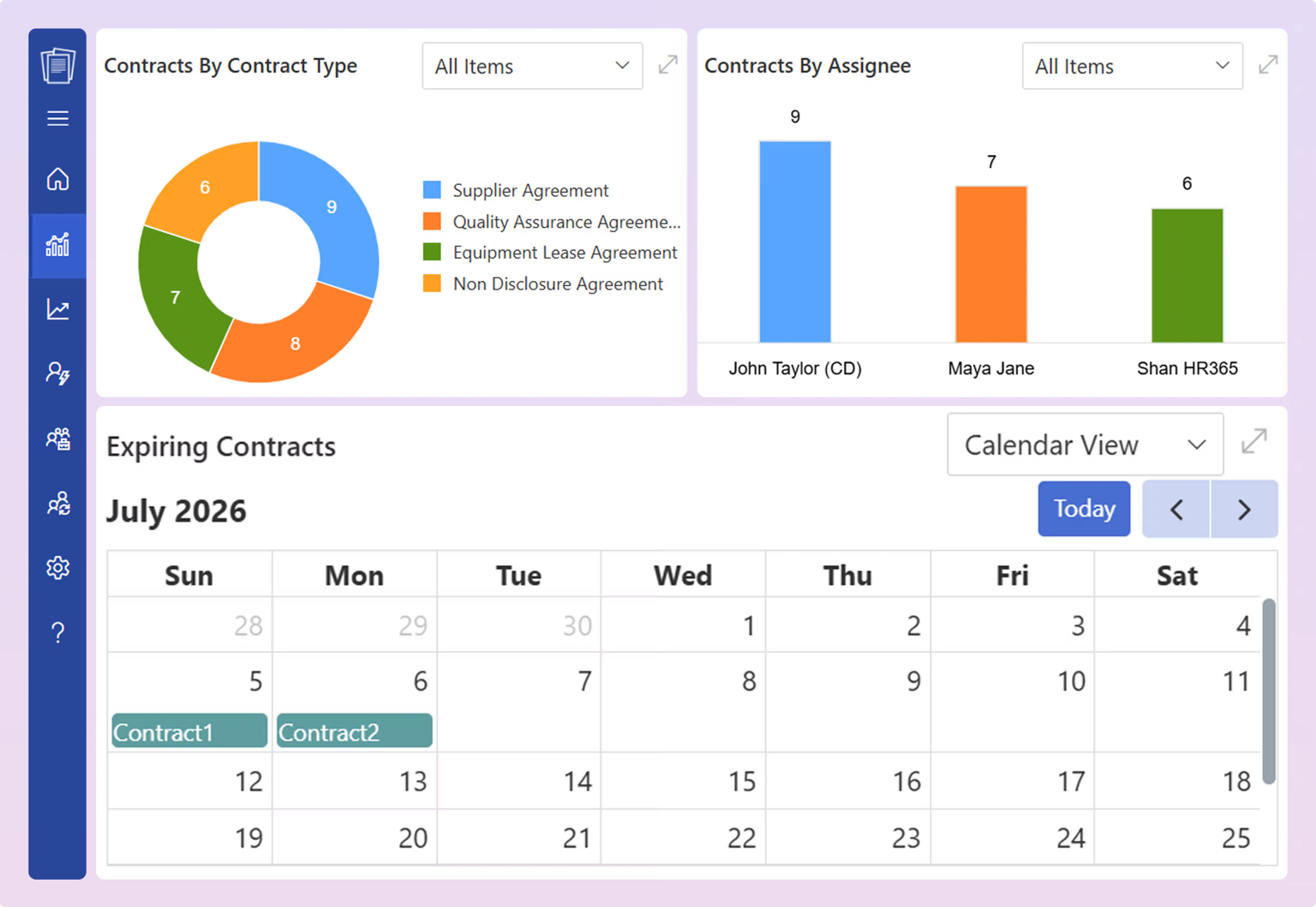
Government contracts can span years, with renewals, deliverables, modifications, reporting requirements, and other important dates along the way. Keeping these dates visible in one place helps contracting teams plan ahead.
One Contract, Complete Record

Contract management for government involves more than the signed agreement. Amendments, approvals, correspondence, supporting documents, and signatures all form part of its history. Connecting these records gives teams the context they need when reviewing a contract.
Approvals Need Clear Progress

Government contract management often move between contracting officers, legal, finance, program managers, and other stakeholders. A structured workflow gives each team visibility into the approval stage, pending actions, and what needs to happen next.

Every Change Needs Context

It can evolve through modifications, amendments, and changes to requirements or terms. Version history gives teams a clear record of what changed, when it changed, and which document reflects the current agreement.
Audit Records, Ready When Needed

It reviews and audits can require approvals, signatures, amendments, correspondence, and supporting documentation from throughout the contract lifecycle. A centralized record makes this information easier to locate, review, and present when required.
Every Contract Needs an Owner

It involves multiple teams, roles, and responsibilities. Clear ownership helps identify who is responsible for each review, approval, obligation, and next step, giving teams a clearer path from award through closeout.
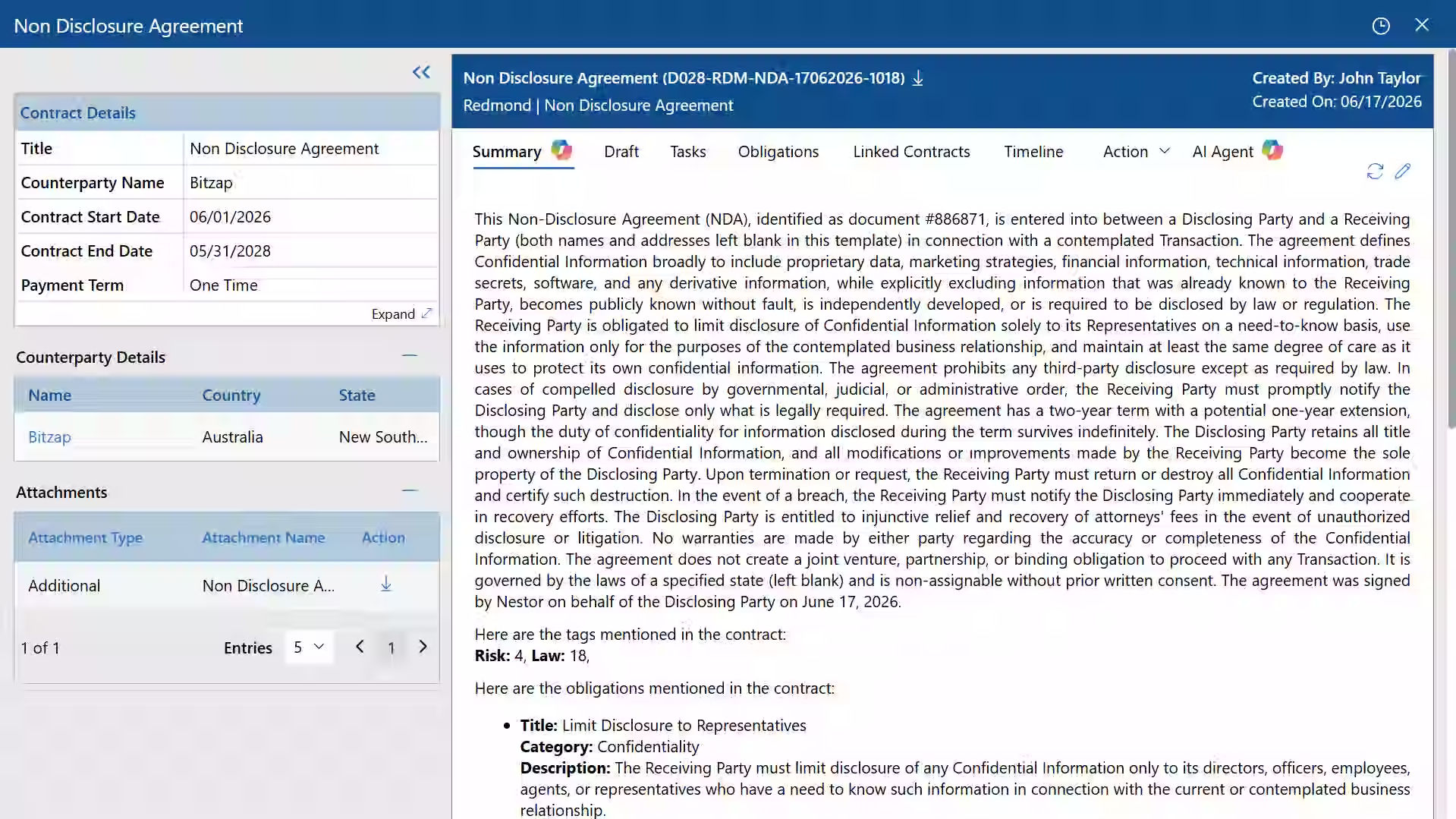
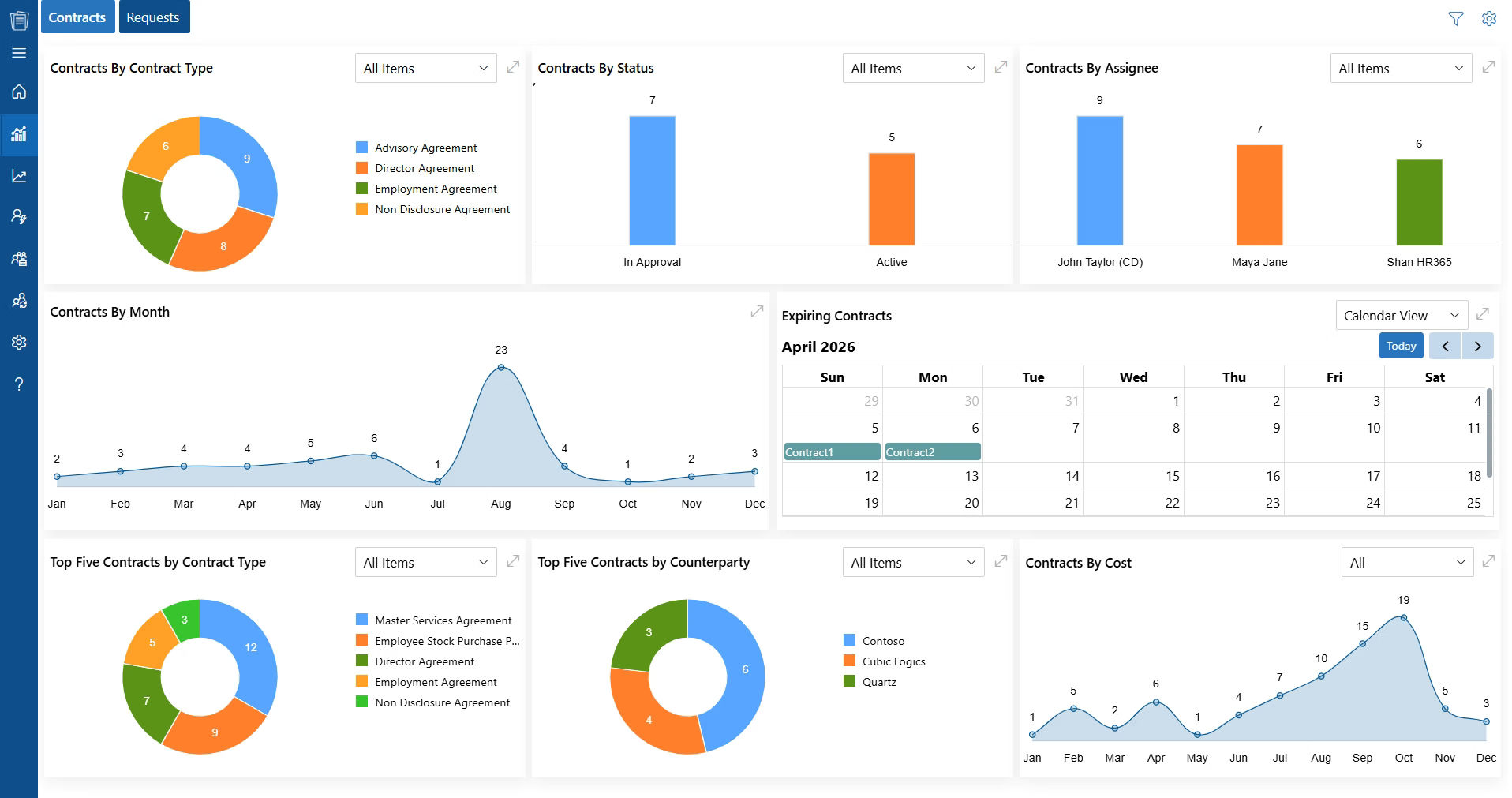
What CLM 365 Delivers for Government Organizations

Faster Contract Approvals
0 %
Improved Contract Visibility
0 %
Faster Contract Retrieval
0 %
Faster Contract Retrieval
< 0

Centralized Contract Management for Government

Manage supplier agreements, procurement, production, quality, logistics, legal, compliance, and operational contracts in one centralized platform built within the familiar Microsoft 365 environment. 

Analyze FAR & Regulatory Clauses With AI

Government contracts contain complex FAR, DFARS, agency-specific, and regulatory clauses that require careful review. AI can help teams identify, interpret, and govern contracts across the process. 

✓ Use AI to identify agency-specific clauses 
✓ Automatically extract key obligations and compliance requirements from clauses 
✓ Flag missing, conflicting, or potentially high-risk clauses for review 
✓ Summarize complex regulatory language in plain English 

Track Contract Modifications & Amendments

Federal contracting frequently changes through modifications, funding adjustments, scope changes, and amendments. Without proper version control, teams can lose track of which terms are currently enforceable. 

✓ Track every modification against the original contract 
✓ Maintain a complete history of amendments and changes 
✓ Compare contract versions before approving modifications 
✓ Link modifications to the clauses, obligations, and documents they affect 

Monitor Contractor Deliverables & Performance

A signed contract does not guarantee that contractors meet their obligations. Government teams need visibility into deliverables, milestones, service levels, and performance requirements throughout execution. 

✓ Assign and track contractor deliverables and milestones 
✓ Monitor deadlines tied to statements of work and performance requirements 
✓ Record contractor performance against contractual obligations 
✓ Escalate missed deliverables and overdue commitments 


Maintain Audit-Ready Contract Records

Government agencies must be able to demonstrate how contracts were reviewed, approved, modified, and managed. Missing documentation can make audits, oversight reviews, and investigations significantly harder. 

✓ Maintain a complete audit trail of contract activity 
✓ Record approvals, modifications, reviews, and user actions 
✓ Preserve supporting documents alongside the relevant contract 
✓ Quickly retrieve records for audits, oversight, and compliance reviews 

CLM 365 Built for Every Stage of Government Contract Management

Manage government contracts from contract solicitation and review through approvals, execution, obligations, renewals, and closeout, all within your familiar Microsoft 365 environment.

Move Contracts Through Review Faster

Route contracts to the right contracting officers, legal teams, finance, and program stakeholders with structured workflows. Reduce manual follow-ups and give every reviewer a clear next step. 

Coordinate Across Government Teams

Connect procurement, legal, finance, program managers, and other stakeholders through shared contract records and defined workflows. Everyone can work from the same information throughout the contract lifecycle. 

Strengthen Contract Compliance

Identify important clauses, track contractual obligations, and monitor key dates throughout the agreement. Maintain a complete record of changes and approvals to support compliance and oversight. 

Maintain Complete Contract Visibility

See contracts, amendments, approvals, obligations, renewals, and supporting records from one centralized location. Give authorized teams the information they need to make informed decisions and respond to reviews or audits. 

Contract Management for Government Built for the Way Your Teams Work

Designed for contracting, procurement, legal, and program teams, CLM 365 helps manage every stage of the government contract lifecycle with AI-powered review, automated workflows, and secure collaboration, all within Microsoft 365.

Works with the Microsoft Tools Your Government Teams Already Use

helpdesk Integrations

CLM 365 works within the Microsoft 365 environment, giving contracting, procurement, legal, and program teams a familiar way to manage government contracts.  

Draft and review contracts in Word, collaborate through Teams, store records in SharePoint, manage communications in Outlook, automate workflows with Power Automate, and analyse contract data with Power BI, all within your Microsoft 365 environment.

Role of CLM 365 in Government Contract Management

Government contracting involves more than creating and signing agreements. Contracting officers, procurement teams, legal departments, and program managers must manage and closeout throughout the contract lifecycle.  

Solicitation & Procurement Management

Manage solicitation documents, requirements, bids, and procurement records in one place. Give procurement teams a structured process for moving agreements from initial requirements through contract preparation. 

Route contracts through contracting officers, legal teams, finance, and authorized stakeholders. Track reviews, approvals, signatures, and award documentation while maintaining a clear record of each decision. 

Manage contracts after award with visibility into deliverables, reporting requirements, contractual terms, and ongoing obligations. Give contracting teams the information they need throughout contract performance. 

Track amendments, modifications, funding changes, and evolving contract requirements without losing the history of the original agreement. Keep obligations connected to the contract and visible to responsible teams. 

Bring final deliverables, approvals, invoices, correspondence, and supporting records together during closeout. Maintain a complete contract history that remains accessible for future reviews, audits, and reference. 

Manufacturing

How CLM 365 Simplifies Government Contract Management?

CLM 365 provides a structured process to request, draft, review, approve, execute, administer, and close government contracts while keeping contracting, procurement, legal, finance, and program teams aligned. 

Submit Contract Request

Initiate contract requests with key requirements, contract details, and supporting documents through a centralized request process. 

Draft Government Contracts

Create agreements using approved templates and standardized clauses while capturing essential contract information from the start. 

Review & Negotiate

Review agreements with AI-powered insights, compare versions, collaborate on revisions, and maintain a complete record of contract changes. 

Route for Approval

Automatically route contracts to the appropriate contracting officers, legal teams, finance, and authorized stakeholders based on defined approval requirements. 

Sign & Execute

Send approved contracts for electronic signatures, notify relevant parties when execution is complete, and store signed agreements in a centralized repository. 

Manage Obligations & Modifications

Track deliverables, contractual obligations, amendments, modifications, funding changes, and other requirements. 

Closeout & Maintain Records

Bring final deliverables, approvals, correspondence, and supporting documentation together during closeout while maintaining an accessible contract history. 

Government Contract Lifecycle Management Best Practices

Good Contract management for government starts long before a contract is signed and continues until every obligation has been completed and the contract is formally closed. The goal is not simply to store agreements, but to maintain control over requirements and records throughout the contract lifecycle process. 

Follow these practices when managing government contracts:

  1. Define contract owners, approvers, and responsibility for key obligations.
  2. Keep all contract documents and records in one place.
  3. Document modifications, approvals, reasons, and impacts.
  4. Track deliverables, milestones, reports, options, and commitments.
  5. Review terms alongside invoices, deliverables, and performance records.
  6. Plan closeout requirements before the contract ends.
  7. Maintain files so staff can easily understand contract history and status.
  8. Review contracts regularly for upcoming and unresolved obligations.
  9. Keep records organized for easy audits and oversight.

Why Government Teams Choose Microsoft-Native CLM 365

Contract Management Capabilities Government Organizations Should Compare

Capability   CLM 365   Generic Cloud CLM   Email/ Spreadsheets 
Centralized supplier & procurement contracts       
Runs natively inside Microsoft Teams       
Data stored in your own SharePoint / M365 tenant       
Automated contract approval workflows    Varies by plan   
Contract renewal reminders & obligation tracking    Varies by plan   
Complete audit trail for compliance    Varies by plan  Manual, error-prone 

Government Teams That Use CLM 365

Contract management software for government involves legal, procurement, finance, compliance, program management, and contracting teams. CLM 365 gives every stakeholder a centralized contract management application. 

Legal Teams 
Review government contracts, manage contractual risks, and maintain governance across agreements, amendments, and obligations. 

Procurement & Contracting Teams 
Manage solicitations, vendor contracts, procurement terms, contract values, and renewal dates while maintaining visibility across the contracting process. 

Program Management Teams 
Access approved contracts, track contractor commitments, and monitor key milestones, deliverables, and obligations tied to government programs. 

Finance Teams 
Review contract values, payment terms, funding requirements, and financial commitments while maintaining visibility into government spending. 

Compliance Teams 
Track regulatory requirements, contractual obligations, certifications, audit records, and compliance deadlines across government contracts. 

Operations Teams 
Monitor contract deliverables, service requirements, performance milestones, and contractor obligations that support day-to-day government operations. 

Our Clients

Beth T.
Manager of IT
United States
We needed a contract management solution, and CLM 365 has been working well for us so far. The platform is easy to use, and the support team is fantastic. Whenever we have questions, we receive fast answers and quick assistance.
Michael Thompson
Legal Head
Canada
The AI feature made it easy to get quick contract summaries, helping both legal and non-legal teams understand key points without reading the full document. CLM 365 automatically highlighted important information, making contract reviews faster and more efficient.
James Carter
Procurement Manager
United Kingdom
Redlining directly in Word has made contract negotiations much easier for our team. We can review changes, collaborate efficiently, and focus on important clauses without slowing down the process. So far, we haven't encountered any issues with the platform.
Maggi Long
Business Manager, Cerilon
Canada
Having all contracts stored in one place has made a big difference for our team. Instead of searching through emails and folders, we can quickly find the documents we need. CLM 365 gives us a centralized repository that makes contract tracking and access much easier.

Clients Speak

Wessam Baroudi
Head Of Information & Technology
"After joining ABC Mobility, I saw the need for a helpdesk to streamline IT operations. After evaluating several options, I chose HR365. This customizable SharePoint system met our needs, offering multi-team support."
Jason Gardner
Director of Infrastructure
"Our support requests came from various channels: email, Teams, texts, calls causing confusion and no way to track or verify service issues. We evaluated several ticketing systems, including building one in MS."
Corey Jackson
Barton Associates
"Great app for SharePoint or MS Teams! We use it to help employees connect within SharePoint and MS Teams. Very happy with its functionality and the support from HR365."
JP Nicols
Cofounder
"Outstanding tech support! We use HR365 uniquely, with a small team and 1000+ members. HR365 serves as our member directory. Frank and the team spent hours resolving a complex permissions issue late on a Friday night."
John Persons
Vice President of Operations
"Great product and support! Coming from an old version of Employee Directory 365, Frank and Sakshi were fantastic during the upgrade to Modern SharePoint. All questions were promptly answered, with remote support as needed."

Using Azure? now you can buy contract management software on Azure Marketplace or using your enterprise agreement​

Frequently Asked Questions

AI can help review contracts, summarize lengthy agreements, identify clauses, extract obligations, locate important dates, answer questions about contract content, and highlight potentially important provisions.  

The Contract management for government can convert contractual requirements into trackable obligations, milestones, deliverables, and deadlines. Contract owners can assign responsibilities, monitor completion, and receive notifications. 

Yes. Teams can track contract start dates, expiration dates, option periods and renewal deadlines in one contract dashboard. 

Access can be controlled using role-based permissions so users only see contracts and information relevant to their responsibilities. Organizations can define access according to departments, roles, teams, or specific contract requirements. 

Yes. Contract workflows can route agreements to the appropriate reviewers based on predefined rules. Government organizations can configure sequential or multi-level approvals for legal, procurement, finance, program, or other required stakeholders. 

Try It Free, No Obligation
By proceeding, you accept Cubic Logics’s terms and conditions and privacy policy
"Exceptional tool that delivers seamless integration, powerful features, and unmatched reliability."

Schedule a free personalized 1:1 demo

By proceeding, you accept Cubic Logics’s terms and conditions and privacy policy

"Outstanding product that combines ease of use, robust security, and cut Expenses."
Let’s Customize a Plan for You

By proceeding, you accept Cubic Logics Terms and Conditions and Privacy Policy

NPO Price Request

By proceeding, you accept Cubic Logics Terms and Conditions and Privacy Policy

Please provide your contact details, we will connect with you soon!

Please provide your contact details, we will connect with you soon!

Request for the custom price​

By proceeding, you accept Cubic Logics Terms and Conditions and Privacy Policy

Schedule a free personalized 1:1 demo

By proceeding, you accept Cubic Logics’s terms and conditions and privacy policy

"Outstanding product that combines ease of use, robust security, and cut Expenses."
License Request Form

By proceeding, you accept Cubic Logics Terms and Conditions and Privacy Policy