

7 Top IT Asset Management Software to Track, Manage, and Secure Your Assets
_eH2jDg7dZ.png)
Managing IT assets without the right software is like trying to run a warehouse blindfolded. You know things are there, laptops, licenses, servers, mobile devices, but you have little control over where they are, who’s using them, or when they expire. That’s a recipe for ballooning costs, compliance gaps, and security vulnerabilities.
The good news? Today’s top IT asset management (ITAM) software takes the guesswork out of the equation. From automated discovery to lifecycle tracking, license optimization, and built-in security controls, the right tool transforms your IT operations from reactive to strategic.
In this guide, we’ve reviewed and ranked the 7 best IT asset management software solutions for 2026, covering features, pricing models, ideal use cases, and key limitations, so you can pick the platform that fits your organization perfectly.
What Is IT Asset Management (ITAM)?
IT Asset Management (ITAM) is the process of tracking, managing, and optimizing an organization’s IT assets, hardware, software, cloud resources, and digital licenses, throughout their entire lifecycle. A robust ITAM program typically involves four core activities:
- Discovery: Automatically scanning and identifying all connected devices and software
- Inventory: Building and maintaining an accurate, up-to-date asset register
- Classification: Categorizing assets by type, owner, status, and risk level
- Disposition: Managing retirement, redeployment, or disposal of assets at end-of-life
Effective ITAM bridges IT, finance, procurement, HR, and compliance teams, giving every stakeholder a single source of truth for IT resources.
Why Top IT Asset Management Software Matters in 2026
Organizations that invest in structured ITAM programs consistently report measurable business benefits. Here’s why ITAM software has become non-negotiable:
- Cost Savings: Eliminate shelfware, unused licenses, and duplicate subscriptions
- Security & Compliance: Maintain audit-ready asset records and enforce access controls
- Risk Reduction: Identify end-of-life hardware and unpatched software before they become vulnerabilities
- Operational Efficiency: Automate routine tasks like patch management and software deployment
- Better Decision-Making: Gain real-time visibility into utilization patterns and spending trends
Key Features to Look for in IT Asset Management Software
- Automated asset discovery (agentless and agent-based)
- Hardware and software inventory management
- Software license tracking and compliance alerts
- Asset lifecycle management (procurement to retirement)
- ITIL-aligned workflows and CMDB integration
- Real-time dashboards and custom reporting
- Mobile app for on-the-go asset tracking
- Integrations with ITSM, procurement, and HR tools
- Cloud, on-premise, or hybrid deployment options
- Role-based access controls and audit trails
7 Top IT Asset Management Software for 2026
1. Asset Management 365
Asset Management 365 is purpose-built for organizations that live inside the Microsoft ecosystem. Because it integrates natively with SharePoint, Teams, and Azure AD, there’s no need to manage separate identity systems or build custom connectors, your existing Microsoft licenses do the heavy lifting, and asset data flows automatically across the tools your IT team already uses every day.
What sets Asset Management 365 apart is its balance of depth and simplicity. While enterprise platforms require months of implementation and dedicated admin teams, Asset Management 365 goes live in days.
The intuitive interface means IT staff and non-technical users alike, HR, finance, facilities, can navigate asset workflows without training, dramatically reducing adoption friction and time-to-value.
Key Features:
- Complete hardware and software asset lifecycle tracking
- Automated asset discovery with agent-based and agentless scanning
- Software license compliance monitoring with expiry alerts
- QR code and barcode-based asset tagging and scanning
- Customizable workflows, approval chains, and asset request portal
- Built-in depreciation tracking and financial reporting
- Mobile-friendly interface for field technicians
- Seamless integration with Microsoft 365, Azure AD, and leading ITSM tools
- ITIL-ready CMDB and change management support
- Multi-location and multi-department asset management
Best For: Organizations of all sizes looking for an affordable, feature-rich ITAM platform that balances ease of use with enterprise-grade capabilities.
⚠ Limitation: Advanced AI-driven predictive analytics are on the roadmap for future releases.
2. ServiceNow IT Asset Management
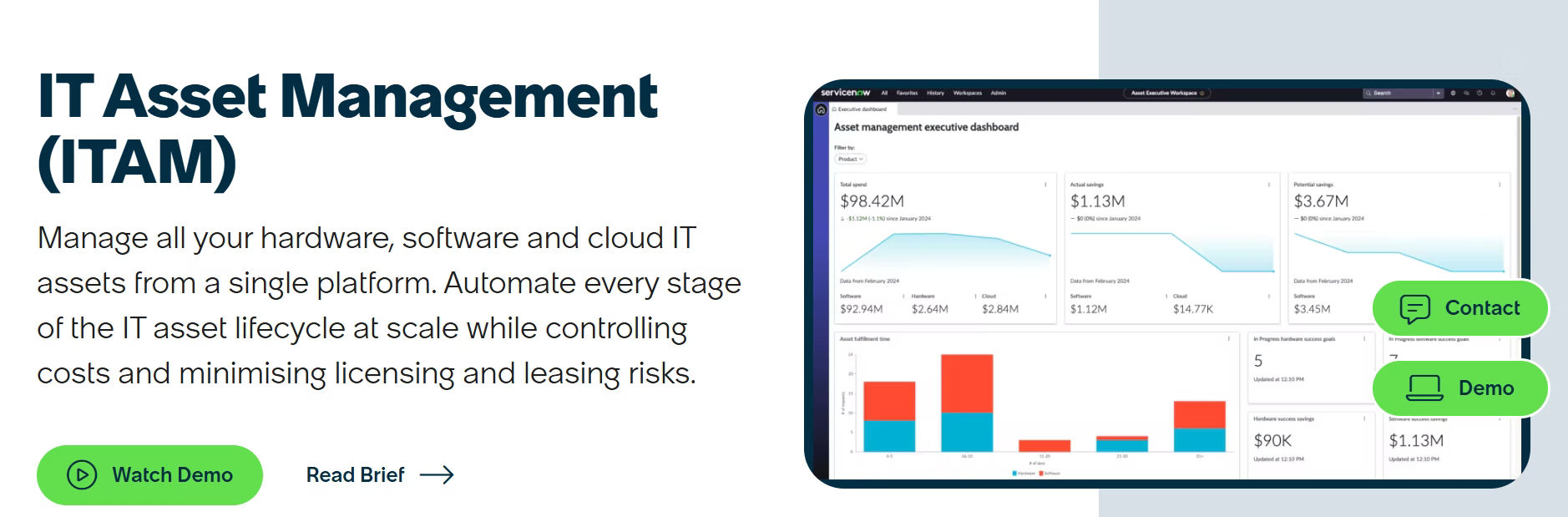
ServiceNow’s ITAM module is best understood as one component of a much larger enterprise platform. Its true strength emerges when organizations use it alongside ServiceNow ITSM, HRSD, and procurement, creating a unified operational backbone that spans the entire organization. For enterprises already on the ServiceNow platform, adding ITAM is a natural extension that delivers exceptional ROI.
However, for organizations evaluating ServiceNow purely for ITAM, the cost and complexity can be prohibitive. Implementation timelines often stretch to three to six months, and ongoing administration requires certified platform specialists. Smaller organizations or those with simpler asset tracking needs will find purpose-built ITAM tools like Asset Management 365 deliver comparable core functionality at a fraction of the total cost of ownership.
Key Features:
- Unified platform covering ITAM, ITSM, CMDB, and HRSD in one ecosystem
- Automated software asset management (SAM) with publisher pack integrations
- Hardware asset management (HAM) with full lifecycle workflows
- Real-time asset visibility through a centralized system of record
- AI-powered insights for cost optimization and risk identification
- Deep integration with procurement, finance, and vendor management
- Robust compliance and audit reporting capabilities
Best For: Large enterprises with complex IT environments requiring deep ITIL alignment and cross-departmental workflow automation.
3. ManageEngine AssetExplorer
ManageEngine AssetExplorer has been a reliable workhorse for mid-market IT departments for over a decade. Its agentless discovery engine is particularly strong, capable of scanning and cataloging diverse network environments including legacy systems, network printers, and SNMP-enabled infrastructure that many newer tools overlook. For organizations with heterogeneous, complex networks, this breadth of discovery is a genuine differentiator.
The integrated helpdesk is a practical bonus, allowing IT teams to link asset records directly to service tickets, providing technicians with instant context on device history, ownership, and warranty status during incident resolution.
Key Features:
- Network-based automated asset discovery (Windows and non-Windows)
- Comprehensive hardware and software inventory with agent/agentless scanning
- Software license management with compliance dashboards
- Asset lifecycle management from procurement through disposal
- Integrated IT helpdesk ticketing and service request management
- Robust reporting engine with 100+ out-of-the-box reports
- Support for SNMP-enabled devices, network printers, and routers
Best For: Mid-market IT teams seeking a cost-effective solution with strong discovery capabilities and a built-in helpdesk.
⚠ Limitation: The user interface feels dated compared to modern cloud-native tools, and cloud deployment is less mature than the on-premise version.
4. Freshservice IT Asset Management
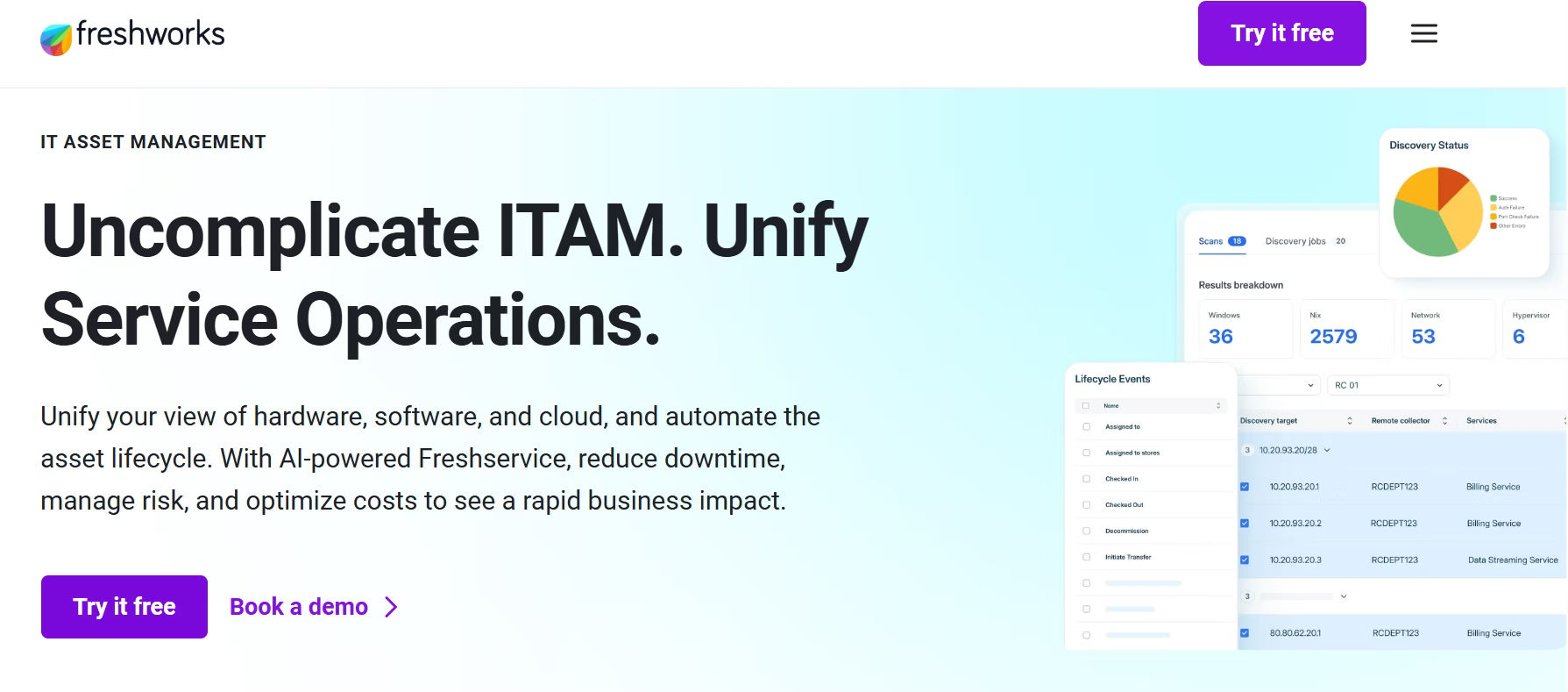
Freshservice has rapidly matured into one of the most user-friendly ITAM and ITSM platforms on the market. Its AI-powered discovery automatically populates the CMDB as new devices join the network, eliminating much of the manual data entry that plagues traditional ITAM programs. The clean, consumer-grade interface means IT staff can get productive within hours of deployment, not weeks.
The platform’s real power lies in its unified approach, asset data, service tickets, change requests, and problem records all share a single data model, meaning that when a server is taken offline for maintenance, every stakeholder automatically sees the downstream impact on dependent services and open tickets.
Key Features:
- AI-powered asset discovery and automatic CMDB population
- End-to-end IT asset lifecycle management in a unified cloud platform
- Integrated service desk, change management, and problem management
- Software license tracking with usage analytics
- Asset relationship mapping for impact analysis
- Native integrations with 1,000+ apps via Freshworks marketplace
- Clean, intuitive UI with minimal learning curve
Best For: SMBs and fast-growing companies that want a modern, easy-to-deploy cloud platform combining ITSM and ITAM in one product.
5. SolarWinds Asset Management
SolarWinds Asset Management simplifies IT asset tracking and management, offering a unified solution that bridges IT asset management (ITAM) with IT service management (ITSM) in one platform. For organizations struggling with maintaining separate systems for asset tracking and service management, SolarWinds provides an integrated approach that minimizes complexity and maximizes efficiency.
With all asset records, service tickets, and change workflows consolidated in one system, SolarWinds gives IT teams immediate context and actionable insights at every step. This integration improves operational efficiency, reduces manual effort, and provides a more holistic view of assets across the organization.
SolarWinds’ asset management platform is ideal for businesses prioritizing real-time asset visibility, especially in network environments. The platform’s robust discovery engine excels at tracking network-connected devices like switches, routers, printers, and more, providing comprehensive asset management capabilities that traditional ITAM tools often overlook.
Key Features:
- Cloud-based asset management seamlessly integrated with ITSM
- Automated asset discovery across your network for real-time visibility
- Software license tracking and compliance monitoring
- Service catalog with automated asset provisioning workflows
- Knowledge base and self-service portal for efficient issue resolution
- SLA management with escalation rules and comprehensive reporting
- Mobile app for on-the-go IT support teams
Best For:
IT teams seeking a unified platform to streamline both help desk and asset tracking without maintaining multiple separate systems.
⚠ Limitation: Limited third-party integrations compared to larger platforms; no free trial available.
6. IBM Maximo Asset Management
IBM Maximo is in a category of its own when it comes to managing physical and operational assets alongside IT infrastructure. For a manufacturing company managing thousands of industrial machines, production equipment, and fleet vehicles in addition to standard IT assets, Maximo’s unified approach to both worlds is unmatched.
Its predictive maintenance capabilities, powered by IoT sensor data and IBM Watson AI, can identify equipment failures weeks before they occur, preventing costly downtime.
Where Maximo is clearly misaligned is for organizations whose asset management needs are primarily or exclusively IT-focused. The platform’s complexity, implementation timeline (often six to twelve months), and enterprise pricing place it well outside the consideration set for most IT departments.
Key Features:
- Enterprise asset management for both IT and operational technology (OT)
- Predictive maintenance and condition-based monitoring
- Work order management with full asset history tracking
- Advanced analytics with AI-driven insights via Watson
- Cloud (IBM Cloud / Azure) and on-premise deployment flexibility
- Industry-specific configurations for healthcare, utilities, and manufacturing
- Full lifecycle cost tracking and financial management
Best For: Asset-intensive industries (manufacturing, utilities, healthcare) that manage both IT equipment and physical operational assets at scale.
⚠ Limitation: Steep learning curve, complex configuration, and high licensing costs make it unsuitable for small or mid-sized IT-only environments.
7. Snipe-IT
Snipe-IT has earned a loyal following in the IT community for doing the basics of asset tracking exceptionally well, for free. If your primary need is knowing which laptop is assigned to which employee, when warranties expire, and how many software license seats are in use, Snipe-IT handles all of that cleanly and reliably.
The active open-source community ensures regular updates, and the REST API provides a solid foundation for teams that want to build custom integrations.
Key Features:
- Completely free and open-source with an active community
- Hardware asset tracking with check-in/check-out workflows
- Software license management and seat tracking
- Custom fields, categories, and asset status labels
- QR code and barcode generation for physical asset tagging
- REST API for custom integrations and automation
- Cloud-hosted (Snipe-IT.io) or self-hosted deployment options
- Best For: Startups, nonprofits, and small IT teams with limited budgets that need a reliable, no-cost ITAM foundation.
⚠ Limitation: Lacks enterprise features like AI-driven discovery, advanced CMDB, native ITSM workflows, and robust compliance reporting.
Quick Comparison: Top IT Asset Management Tools at a Glance
| Tool | Best For | Deployment | Pricing | ITIL Support |
| Asset Management 365 | SMBs & Enterprises | Cloud / On-Prem | Affordable | Yes |
| ServiceNow | Large Enterprises | Cloud | Enterprise ($$$$) | Yes |
| ManageEngine | Mid-Market | Cloud / On-Prem | Mid-Range | Yes |
| Freshservice | SMBs | Cloud | Mid-Range | Yes |
| SolarWinds | IT Teams | Cloud / On-Prem | Mid-Range | Partial |
| IBM Maximo | Heavy Industry | Cloud / On-Prem | Enterprise ($$$$) | Yes |
| Snipe-IT | Startups / SMBs | Cloud / Self-Hosted | Free / Open Source | No |
How to Choose the Right IT Asset Management Software
With so many strong contenders, the best ITAM tool is ultimately the one that aligns with your organization’s size, complexity, budget, and growth trajectory. Consider these critical factors when evaluating your options:
1. Organization Size and Complexity
Small businesses and startups benefit most from lightweight, easy-to-deploy solutions like Snipe-IT or Asset Management 365. Mid-market companies need scalable tools with discovery automation and reporting. Enterprises with global operations require platforms like ServiceNow or IBM Maximo with deep CMDB integration.
2. Deployment Model
Cloud-based ITAM tools (SaaS) offer faster deployment and lower upfront costs, while on-premise or hybrid options provide greater control over sensitive data, critical for regulated industries like healthcare and finance.
3. Integration Requirements
Your ITAM tool must connect seamlessly with your existing tech stack, whether that’s Microsoft 365, Azure AD, Jira, Slack, SAP, or your procurement system. Poor integrations create data silos and manual reconciliation work.
4. ITIL and Compliance Alignment
If your organization follows ITIL practices or operates in a regulated industry, ensure the software supports ITIL workflows, audit trails, software asset management (SAM) compliance, and GDPR or SOC 2 reporting requirements.
5. Total Cost of Ownership (TCO)
Look beyond the sticker price. Factor in implementation costs, training, support fees, and integration expenses. Some tools have low per-seat pricing but significant hidden costs. Asset Management 365 offers transparent, predictable pricing with inclusive onboarding support.
Why Asset Management 365 Stands Out
- Rapid deployment — go live in days, not months
- Intuitive interface requiring minimal training
- Comprehensive ITAM covering hardware, software, and cloud assets
- Microsoft 365 and Azure AD native integration
- Transparent, scalable pricing with no hidden fees
- Dedicated onboarding support and customer success team
- Regular product updates driven by customer feedback
- ITIL-aligned workflows ready out of the box
Conclusion
The right IT asset management software is no longer a luxury — it’s a strategic necessity. Whether you’re managing 50 laptops or 50,000 endpoints across global offices, having complete visibility and control over your IT assets directly impacts your security posture, operational efficiency, and bottom line.
For most organizations in 2026, Asset Management 365 delivers the optimal balance of power, usability, and value. It’s designed specifically to help IT teams move fast without sacrificing control — from automated discovery and lifecycle tracking to seamless Microsoft 365 integration and built-in compliance reporting.
If you’re ready to take control of your IT assets, start with Asset Management 365. Book a free demo today and see how it can transform your IT operations.
Join Our Creative Community
Frequently Asked Questions
What is the best IT asset management software for small businesses?
For small businesses, Asset Management 365 and Snipe-IT are top choices. Asset Management 365 offers a polished, cloud-based experience with enterprise features at an SMB-friendly price point. Snipe-IT is ideal for teams with technical resources who prefer an open-source, self-hosted option.
What's the difference between ITAM and ITSM?
IT Asset Management (ITAM) focuses specifically on tracking and managing the lifecycle and value of IT assets. IT Service Management (ITSM) covers the broader processes for delivering and managing IT services, including incident, change, and problem management. Many modern platforms, including Asset Management 365 and ServiceNow, offer both capabilities in an integrated suite.
Does IT asset management software help with software license compliance?
Yes. One of the core functions of top ITAM tools is software license management — tracking how many licenses are owned versus deployed, flagging over-usage or under-usage, and generating compliance reports for vendor audits. This alone can save organizations significant costs each year.
What is a CMDB and do I need one?
A Configuration Management Database (CMDB) is a centralized repository that stores information about IT assets and the relationships between them. If your organization uses ITIL practices or needs to understand how infrastructure changes impact services, a CMDB is essential. Platforms like ServiceNow, ManageEngine, and Asset Management 365 include built-in CMDB functionality.


_JiluXJRGNl.svg)























