

_mVFFaHUZhS.webp)
Deputy has long been a familiar name in workforce management. It brings scheduling, time tracking, and task management under one roof, making it a go-to option for businesses managing shift-based teams. Whether you run a retail chain, a healthcare facility, or a hospitality group, Deputy offers a recognizable starting point for keeping people organized and hours logged.
But as your business grows, priorities shift. What worked for a team of 20 may not hold up for a team of 200. Pricing models change, integrations become critical, mobile access takes center stage, and compliance requirements add new layers of complexity. Teams start looking for platforms that align more precisely with their scale, their industry, and the way they actually work.
- Deputy works well for shift scheduling, but growing businesses often need better integrations, pricing flexibility, or advanced reporting.
- Timesheet 365 is a strong choice for Microsoft 365 users who want time tracking and approvals directly inside Teams.
- Different tools fit different industries — 7shifts for restaurants, Connecteam for field teams, and Clockify for simple time tracking.
- Before switching from Deputy, businesses should compare integrations, mobile experience, scalability, and total long-term cost.
Why Look for Deputy Alternatives?
Deputy is a capable platform, but no single tool fits every business perfectly. Here are the most common reasons organizations start exploring alternatives:
- Pricing that does not scale: As headcount grows, Deputy’s per-user pricing can become a significant line item without a proportional increase in value.
- Feature gaps for specific industries: Some businesses need niche capabilities, such as GPS-based clock-in for field workers, multi-site management, or deep payroll integrations, that Deputy does not fully address.
- Complexity vs. simplicity trade-offs: Smaller teams often find Deputy’s feature set heavier than what they need, while larger enterprises may find it lacks the depth required for complex workforce structures.
- Integration requirements: Not every business runs on the same payroll or HRIS stack. If Deputy does not connect cleanly with your existing tools, the manual work quickly adds up.
- Support and onboarding experience: Fast-growing teams need responsive support and clear documentation. If that experience falls short, it slows down adoption.
These are not criticisms so much as reflections of how business needs evolve. The right tool is the one that fits where your business is now and where it is headed.
What Is Deputy?
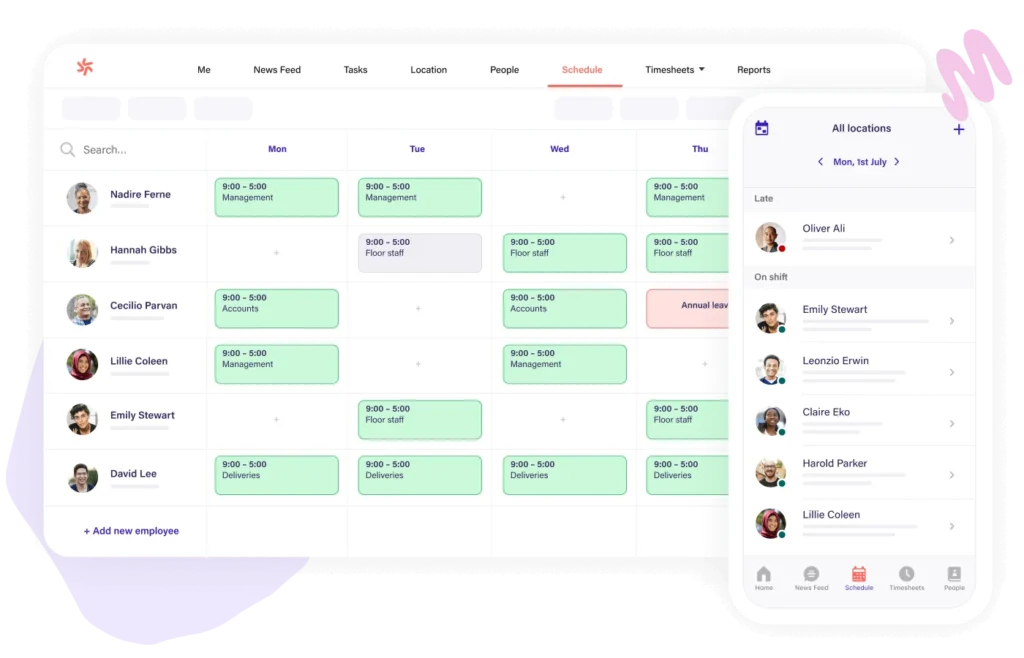
Deputy is a cloud-based workforce management platform designed primarily for shift-heavy industries such as retail, hospitality, healthcare, and logistics. Founded in 2008 and headquartered in San Francisco, it serves businesses ranging from small teams to large enterprises across more than 70 countries.
At its core, Deputy helps managers build schedules, track employee time and attendance, assign tasks, and stay compliant with labor laws. Its mobile app allows employees to clock in, view shifts, swap schedules, and communicate with managers directly from their phones. The platform also integrates with a wide range of payroll and HR systems including ADP, Gusto, QuickBooks, and Xero
Deputy Pros
Every platform has its limitations, and Deputy is no exception. Businesses have varying needs, and as teams scale or operations become more complex, certain trade-offs become more apparent:
- Per-user pricing can become expensive as teams expand, particularly for businesses managing large hourly workforces.
- Reporting and analytics capabilities are functional but may not satisfy businesses that need advanced, customizable data views.
- The platform covers a broad surface area but may lack depth in areas like project-based time tracking or highly granular compliance configurations.
- Customer support response times and the quality of onboarding resources have been points of friction for some users.
- Businesses operating across multiple countries may find localization and multi-jurisdiction compliance features inconsistent.
None of these cons make Deputy a poor choice outright. They simply reflect the reality that as business needs diversify, other platforms may serve specific requirements better.
10 Deputy Alternatives & Competitors
The following platforms have been selected based on real-world use cases, feature depth, pricing accessibility, and their ability to address the gaps businesses commonly face with Deputy. Each one serves a different set of priorities, so the best choice will depend on your specific context.
1. Timesheet 365
G2 Rating: 4.8 / 5 | Capterra Rating: 5 / 5 |
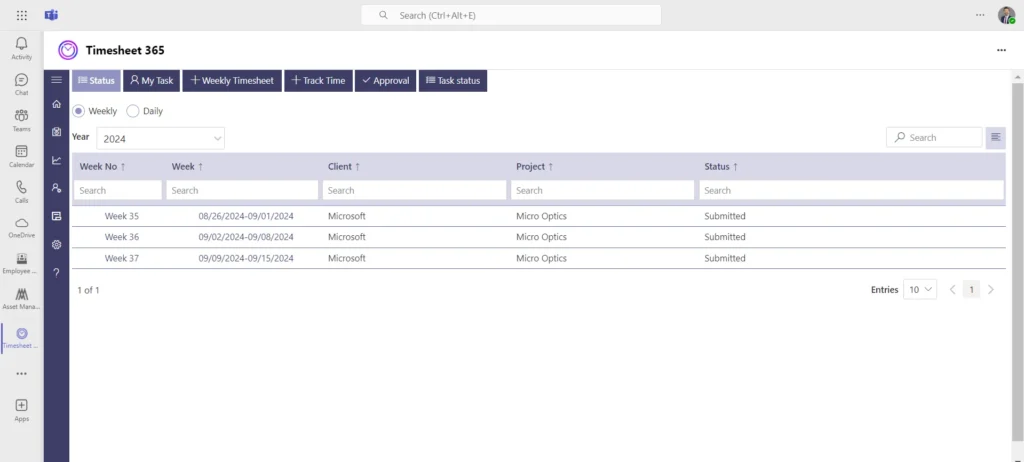
If your team uses Microsoft 365, Timesheet 365 is built exactly for your environment. It is a workforce management and time tracking solution that lives natively inside the Microsoft ecosystem, which means your team does not need to learn a separate platform or toggle between disconnected tools. For businesses already invested in Teams, SharePoint, and Azure Active Directory, Timesheet 365 removes the integration friction that most workforce tools create.
Unlike many competitors that bolt on Microsoft integrations as an afterthought, Timesheet 365 was built from the ground up with Microsoft 365 at its core. It also uses AI to flag anomalies in time entries, detect unusual patterns across teams, and help managers prioritize approvals faster. This makes it especially well-suited for mid-sized to enterprise-level organizations in sectors like professional services, healthcare, government, and education that need compliance-grade audit trails alongside intelligent workforce visibility.
8 Key Features
- Native Microsoft 365 and Teams integration: Timesheet submission and approval workflows happen directly inside Teams, eliminating app switching for distributed teams.
- Project-based time tracking: Employees log hours against specific projects, tasks, or clients, making it ideal for service-based businesses and project-driven teams.
- Manager approval workflows: Structured multi-level approval processes ensure time entries are reviewed and validated before payroll processing.
- Automated reminders and alerts: Built-in notifications prompt employees to submit timesheets on time, reducing the manual follow-up that managers typically handle.
- Compliance-ready audit logs: Every entry, edit, and approval is tracked with a timestamp, supporting internal audits and regulatory reporting requirements.
- Customizable reporting: Managers and HR teams can generate reports by employee, project, department, or time period with export options for payroll and finance teams.
- Role-based access controls: Granular permissions ensure that employees, managers, and administrators each see only what is relevant to their role.
- AI-powered insights: Built-in AI surfaces time entry anomalies, flags potential compliance risks, and provides managers with actionable summaries without requiring manual report digging.
- Azure Active Directory sync: User provisioning and authentication are managed automatically through your existing Azure AD setup, reducing IT overhead.
Why Choose Timesheet 365 as a Deputy Alternative?
Deputy is a strong scheduling tool, but it was not designed with the Microsoft 365 ecosystem in mind. For organizations that run on Teams and SharePoint, using Deputy often means managing yet another separate login, yet another mobile app, and yet another set of integrations to maintain. Timesheet 365 eliminates that overhead entirely.
It is also a better fit for teams that do project-based work rather than pure shift scheduling. Where Deputy focuses on shift management for hourly workforces, Timesheet 365 is purpose-built for organizations that need accurate time-against-project logging, robust approval chains, and clean export to payroll or ERP systems.
For IT administrators, the Azure AD integration means user management is automatic and secure. For CFOs and operations leaders, the AI-driven reporting surfaces workforce trends and potential risks in real time — giving the kind of visibility that Deputy’s standard reporting tier does not easily match without significant manual effort.
See Timesheet 365 in Action
Discover how it fits your Microsoft 365 environment without the integration headaches.
2. Clockify
G2 Rating: 4.5 / 5 | Capterra Rating: 4.7 / 5 |
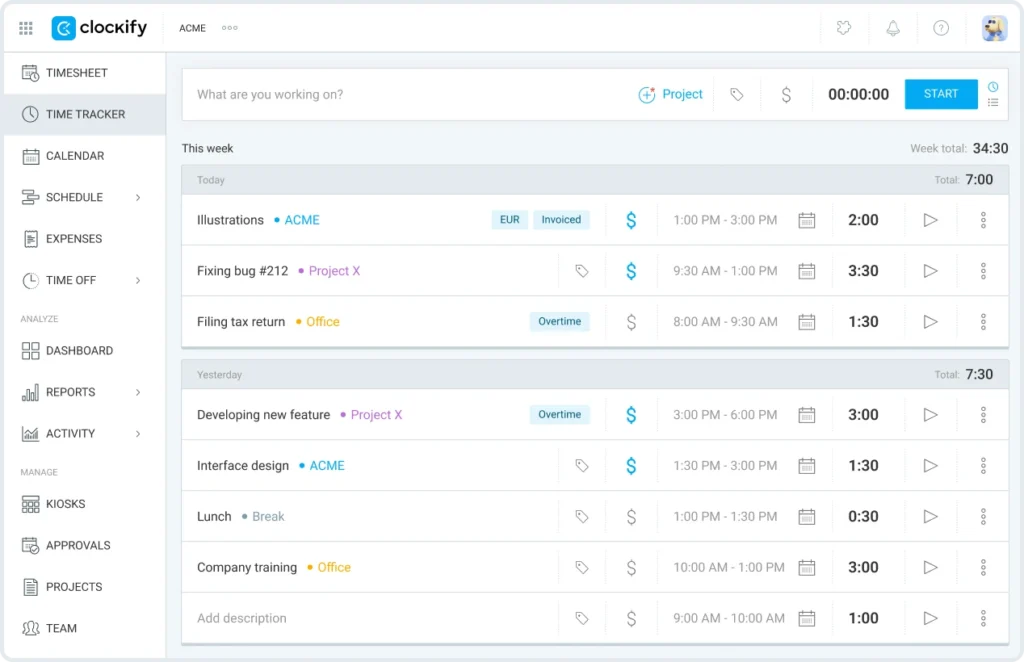
Clockify has built a reputation as one of the most accessible time tracking tools on the market. Its free tier is genuinely functional, making it a popular starting point for freelancers, agencies, and small businesses that need basic time tracking without a recurring software cost. As teams grow and need more features, Clockify’s paid plans unlock reporting, approval workflows, and integrations at a competitive price.
5 Key Features
- Free unlimited time tracking for unlimited users on the base plan.
- Project and client organization with billable hour tagging.
- Visual reports with breakdowns by user, project, and date range.
- Integrations with Asana, Trello, Jira, and other project management tools.
- Timesheet approval workflows available on paid tiers.
Why Choose Clockify as a Deputy Alternative?
Clockify makes sense for businesses that prioritize time tracking over scheduling and want to keep costs low. If your team is remote, project-focused, or simply does not require the shift management layer that Deputy offers, Clockify covers the essentials at a fraction of the cost. The free tier genuinely works for small teams.
3. Jibble
G2 Rating: 4.6 / 5 | Capterra Rating: 4.8 / 5 |
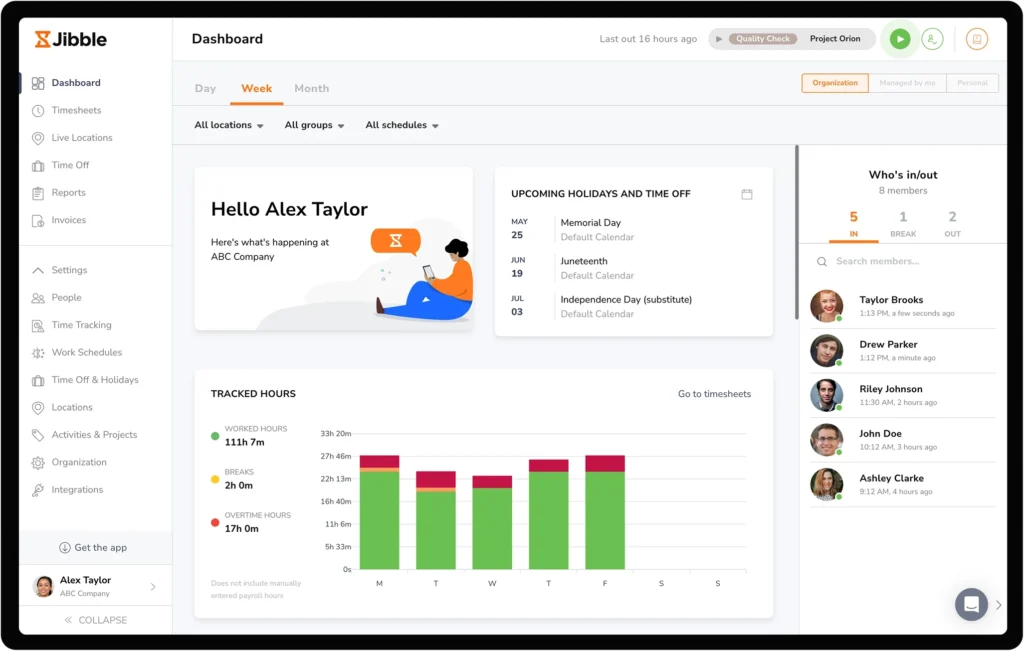
Jibble focuses on attendance tracking and time logging with a strong emphasis on face recognition and GPS verification. It targets businesses with on-site or field-based teams that need reliable, tamper-resistant clock-in options. The platform is free for unlimited users at the base level, making it attractive for organizations watching their software spend.
5 Key Features
- Face recognition clock-in to prevent buddy punching and time fraud.
- GPS tracking to verify employee location at clock-in and clock-out.
- Free plan with unlimited users covering core attendance tracking.
- Payroll-ready timesheets with automatic hour calculations.
- Integrations with QuickBooks, Xero, and other payroll platforms.
Why Choose Jibble as a Deputy Alternative?
If reducing time theft and verifying attendance accuracy are priorities, Jibble’s biometric and GPS features give it an edge. For businesses in retail, construction, or field services where employees are spread across locations, Jibble’s verification tools provide confidence in the data that manual systems or basic apps cannot match.
4. When I Work
G2 Rating: 4.4 / 5 | Capterra Rating: 4.5 / 5 |
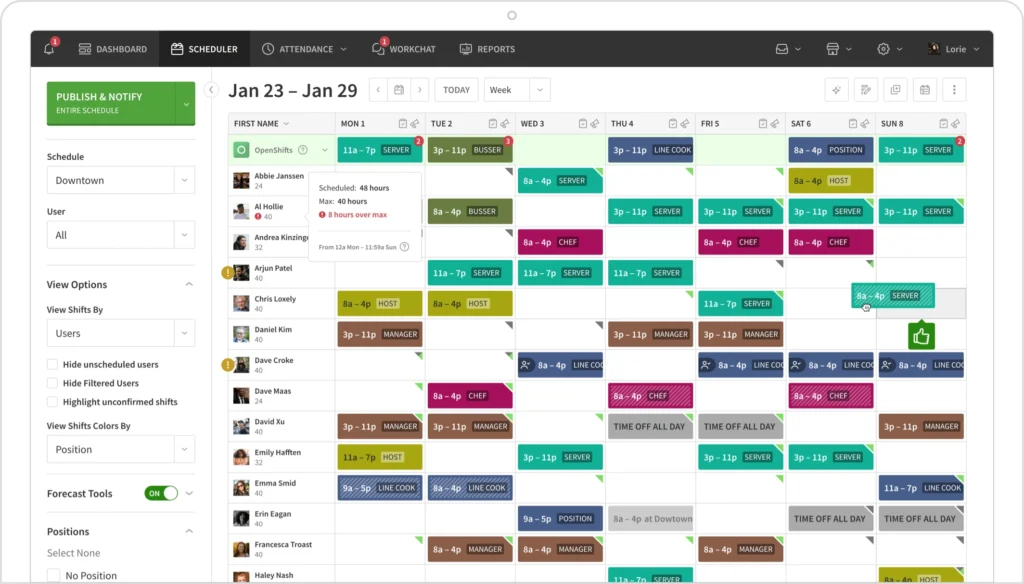
When I Work is a scheduling and time tracking platform built specifically for hourly workers and shift-based teams. It emphasizes ease of use and employee self-service, giving workers the ability to view schedules, request time off, and pick up open shifts from their phones. Managers benefit from drag-and-drop scheduling, automated conflict detection, and real-time attendance visibility.
5 Key Features
- Drag-and-drop schedule builder with conflict detection and availability checks.
- Employee self-service for shift swaps, time-off requests, and availability updates.
- In-app team messaging to replace reliance on external chat tools for scheduling communication.
- Time clock with GPS and photo verification.
- Labor cost forecasting tied directly to the schedule builder.
Why Choose When I Work as a Deputy Alternative?
When I Work is a direct competitor to Deputy in the shift scheduling space, but it tends to be more accessible for smaller businesses and simpler operations. Its pricing is straightforward, and the mobile experience is often cited as cleaner and more intuitive for front-line workers who are not office-based.
5. Homebase
G2 Rating: 4.3 / 5 | Capterra Rating: 4.6 / 5 |
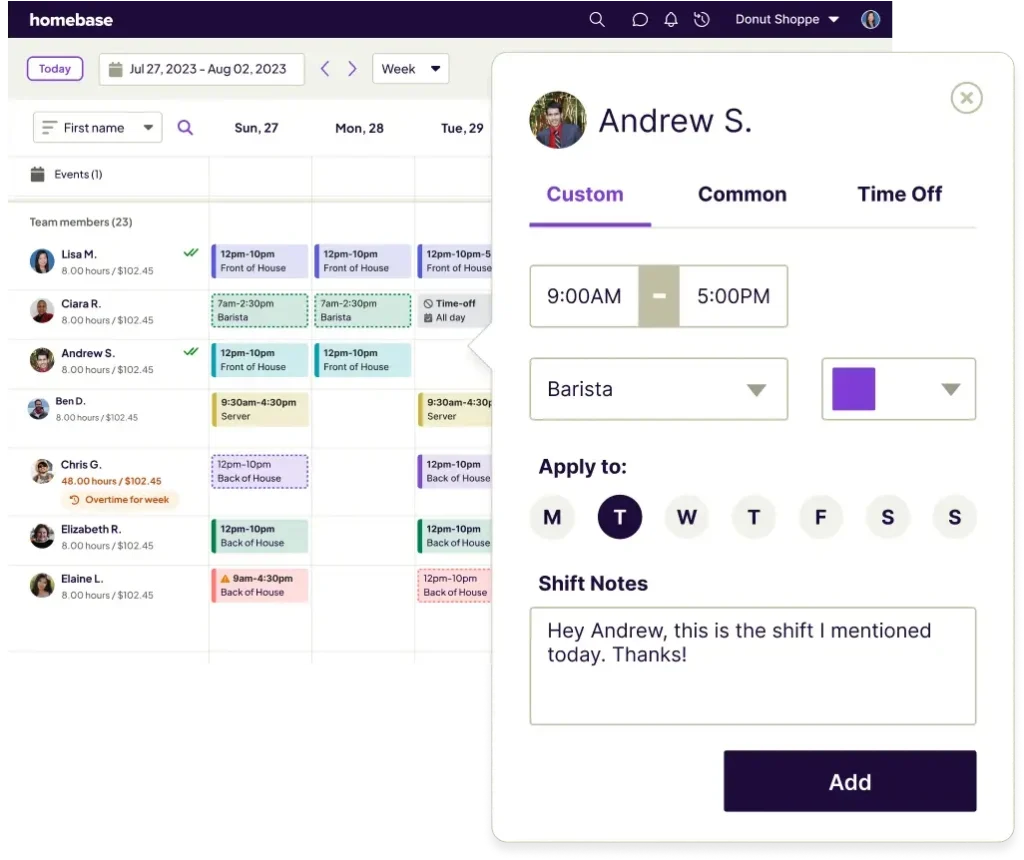
Homebase targets small businesses in retail, restaurants, and service industries. Its free plan is one of the most generous in the category, covering scheduling, time tracking, and basic HR tools for a single location. The platform is especially popular with independent business owners who want to bring scheduling, payroll, and hiring into one place without enterprise-level complexity.
5 Key Features
- Free scheduling and time tracking for a single location.
- Labor cost tracking with real-time budget visibility.
- Employee messaging and team communication built into the platform.
- Payroll processing available as an add-on without third-party integrations.
- Integrations with Square, Clover, Toast, and other POS systems.
Why Choose Homebase as a Deputy Alternative?
For small business owners managing one or two locations, Homebase provides a broader feature set at a lower cost than Deputy, particularly if you are also looking for hiring and HR capabilities alongside scheduling. It removes the need to piece together multiple tools for a growing small team.
6. Sling
G2 Rating: 4.2 / 5 | Capterra Rating: 4.5 / 5 |
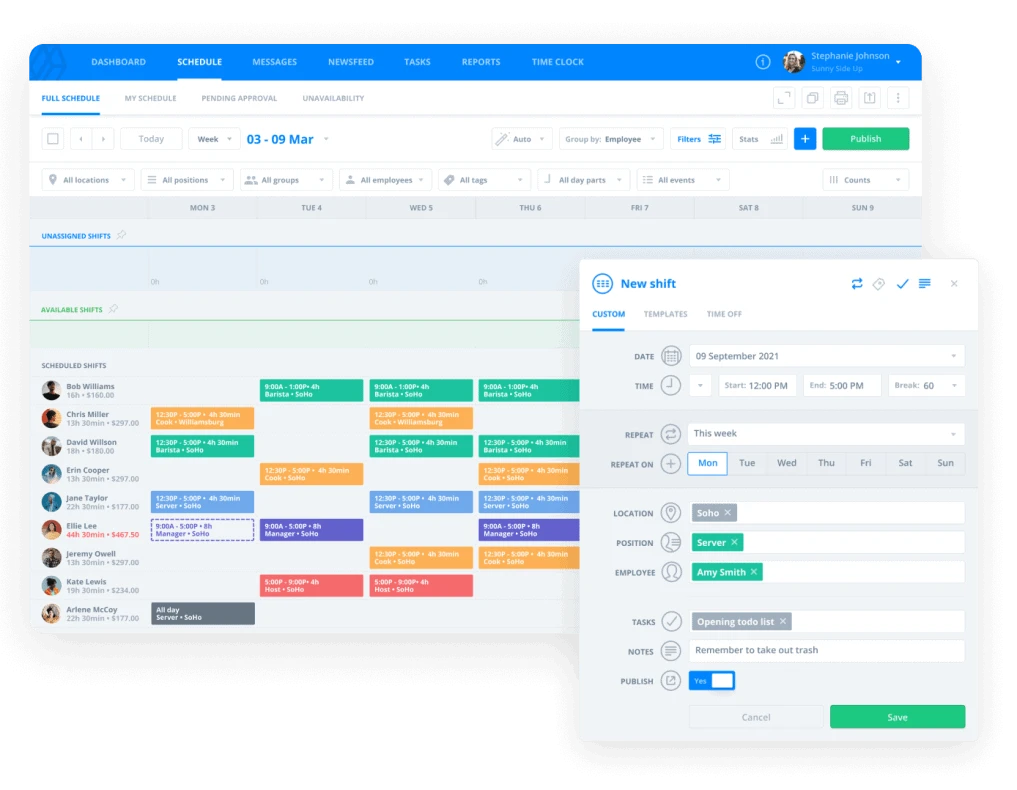
Sling positions itself as a scheduling-first platform with a strong emphasis on labor cost management. It includes tools for building and publishing schedules, communicating with teams, and tracking time, all within a clean interface. Sling’s free plan covers scheduling and messaging, while paid plans add time tracking, labor cost reporting, and advanced notifications.
5 Key Features
- Visual schedule builder with color-coded shifts by role or location.
- Labor cost tracker that shows real-time spend against budget as schedules are built.
- Team messaging with group chats, announcements, and private messages.
- Time tracking with clock-in verification and overtime alerts.
- Newsfeed feature for company-wide announcements and updates.
Why Choose Sling as a Deputy Alternative?
Sling is a good fit for operations-focused managers who want tight control over labor costs tied directly to the scheduling process. The ability to see cost impact in real time while building a schedule is a differentiator that Deputy does not surface as prominently. Sling’s free tier also makes it a low-risk starting point for cost-conscious teams.
7. Buddy Punch
G2 Rating: 4.8 / 5 | Capterra Rating: 4.8 / 5 |
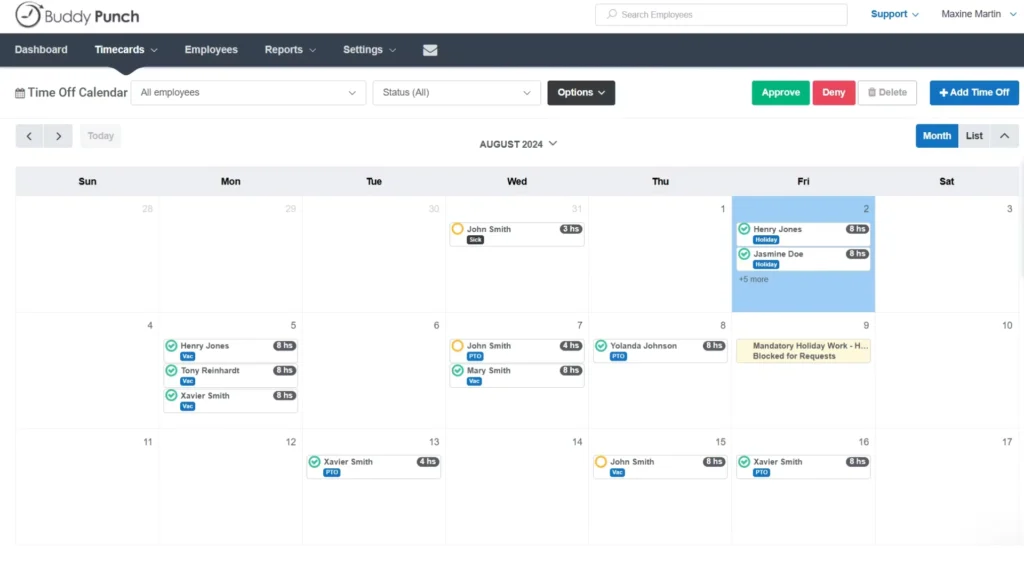
Buddy Punch is a time and attendance platform that emphasizes accountability and accuracy. Built for businesses tired of managing paper timesheets or basic punch clocks, it brings biometric verification, GPS tracking, and clean payroll exports into a straightforward interface. It targets small to mid-sized businesses that need reliable time data without investing in complex enterprise software.
5 Key Features
- Facial recognition and fingerprint punch options to prevent time theft.
- GPS tracking to verify clock-in location for remote and field workers.
- PTO and sick leave tracking with manager approval workflows.
- Payroll exports compatible with ADP, QuickBooks, Paychex, and others.
- Alerts for missed punches, early clock-outs, and overtime thresholds.
Why Choose Buddy Punch as a Deputy Alternative?
Buddy Punch works well for businesses where accountability in time tracking is the primary concern. If your operation has experienced issues with inaccurate time entries or punch fraud, the biometric options give you a technical deterrent. It also exports cleanly to major payroll providers, which reduces the manual reconciliation work that comes with less-integrated tools.
8. 7shifts
G2 Rating: 4.5 / 5 | Capterra Rating: 4.7 / 5 |
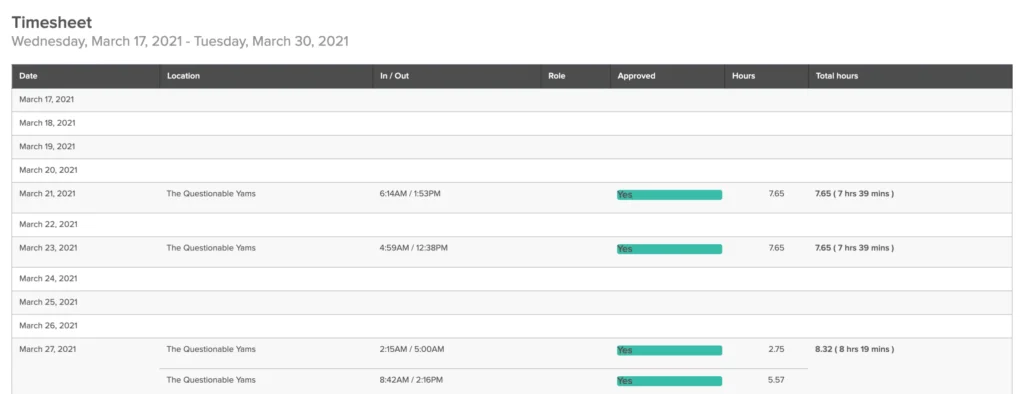
7shifts was built specifically for restaurant scheduling and workforce management. Unlike general-purpose tools, it is designed around the workflows that restaurant operators deal with daily, including tip management, role-based scheduling across departments, and integrations with major POS systems. It is one of the most purpose-built alternatives for the food and beverage industry.
5 Key Features
- Restaurant-specific scheduling with department and role views.
- Deep integrations with Toast, Square, Lightspeed, Clover, and other POS platforms.
- Tip pooling and tip reporting tools built into the platform.
- Sales and labor forecasting based on historical POS data.
- Employee engagement tools including satisfaction surveys and shift feedback.
Why Choose 7shifts as a Deputy Alternative?
If you operate a restaurant, cafe, or bar, 7shifts offers depth that Deputy simply does not match in this vertical. The POS integrations and sales-to-labor forecasting give managers a level of operational insight that generic workforce tools cannot provide. For restaurants managing tight labor costs and variable volumes, this kind of data-driven scheduling is a meaningful operational advantage.
9. Connecteam
G2 Rating: 4.3 / 5 | Capterra Rating: 4.8 / 5 |
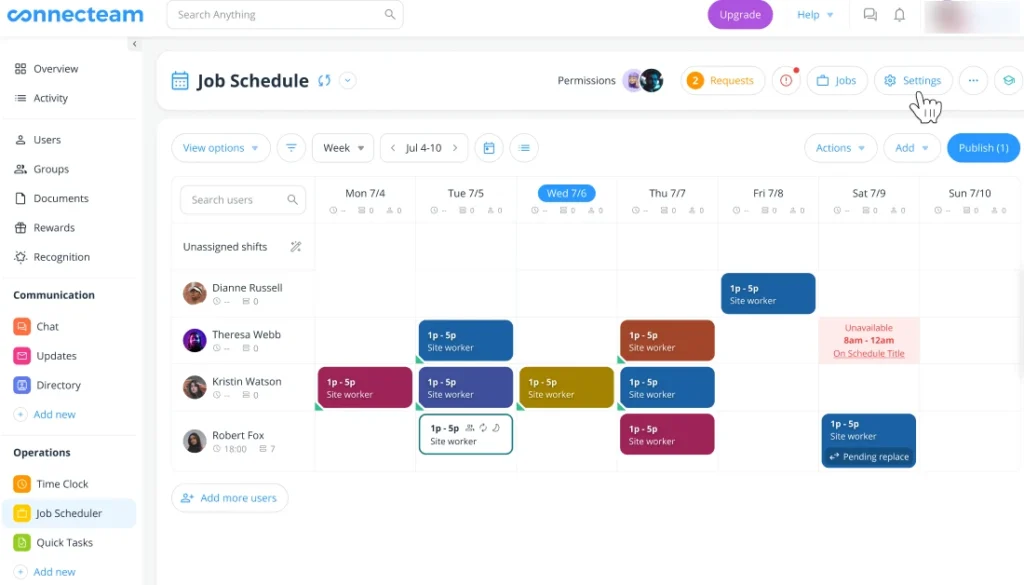
Connecteam is a mobile-first workforce management platform built with deskless workers in mind. It goes beyond scheduling and time tracking to include operations management, training, communication, and HR tools in one place. It is particularly well-suited for industries like construction, cleaning services, logistics, and healthcare, where employees are rarely sitting in front of a computer.
5 Key Features
- Scheduling with GPS time clock designed for field and mobile teams.
- In-app chat, feeds, and updates to reach deskless workers without email.
- Training and onboarding modules with quizzes and completion tracking.
- Digital forms and checklists for operational tasks and compliance documentation.
- Job dispatching and task management for field service operations.
Why Choose Connecteam as a Deputy Alternative?
Connecteam is the right choice when workforce management needs to extend beyond time and attendance into operations and communication. For businesses managing field teams that need job dispatching, digital checklists, and mobile training alongside scheduling, Connecteam consolidates tools that would otherwise require multiple separate subscriptions.
10. Rippling
G2 Rating: 4.8 / 5 | Capterra Rating: 4.9 / 5 |
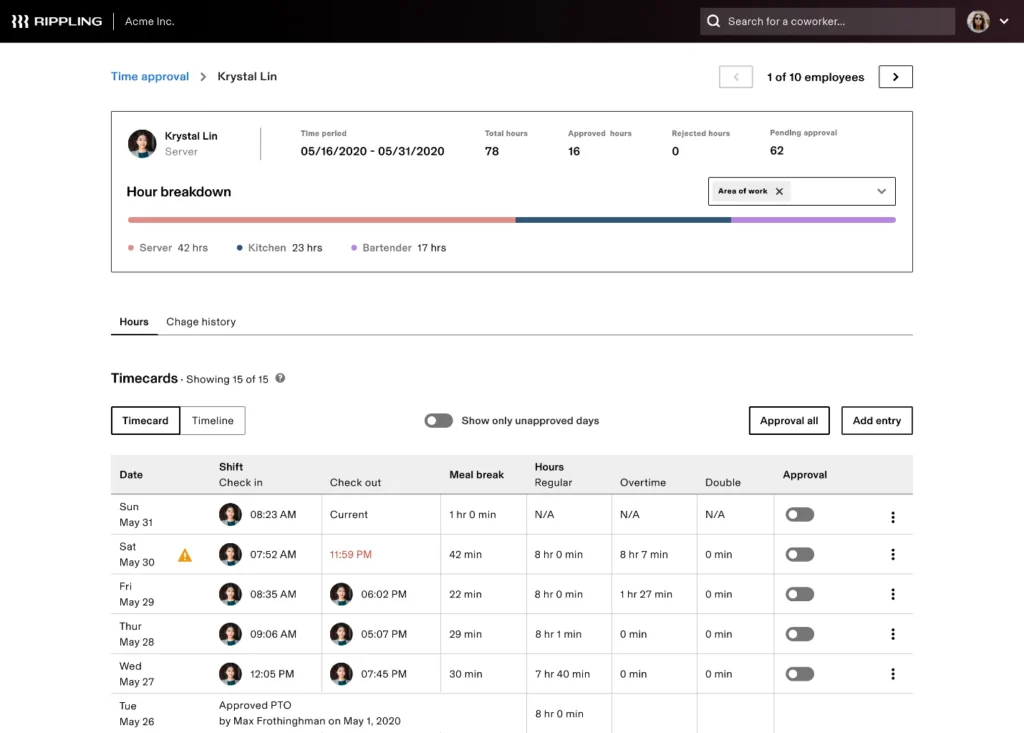
Rippling is an all-in-one HR, IT, and finance platform that includes workforce management as part of a much broader system. It targets growing and mid-market businesses that want to consolidate HR, payroll, benefits, device management, and workforce tools into a single platform. It is a more complex and expensive option, but for the right business, it eliminates the patchwork of separate systems that slow operations down.
5 Key Features
- Unified HR platform covering payroll, benefits, time tracking, and compliance.
- IT management including device provisioning, app access, and offboarding automation.
- Advanced workflow automation for onboarding, approvals, and policy enforcement.
- Global payroll support for businesses with international employees.
- Time and attendance with scheduling and PTO management.
Why Choose Rippling as a Deputy Alternative?
Rippling is for organizations that have outgrown standalone workforce tools and need a platform that connects HR, IT, and finance operations. If managing separate payroll, device management, and scheduling tools is creating operational overhead, Rippling provides a centralized system that reduces the number of platforms your team needs to manage day to day.
Still Comparing Your Options?
Timesheet 365 works inside the tools your team already uses. No new logins, no new learning curves.
Best Practices to Choose an Alternative for Deputy
Switching workforce management platforms is a meaningful decision. Getting it right means fewer disruptions, faster adoption, and better long-term value. Here is how to approach the evaluation with clarity:
1. Start with your actual pain points
Before reviewing features, write down the specific problems with your current setup. Is it cost? Missing integrations? Poor mobile experience? Starting from the problem rather than the feature list keeps your evaluation grounded.
2. Map your existing tech stack
List every tool your team currently relies on for HR, payroll, communication, and project management. Any alternative you evaluate should integrate cleanly with those systems or replace them intentionally. Poor integrations create more manual work, not less.
3. Evaluate by team type, not just size
A business with 50 field-based technicians has different needs than a business with 50 office workers, even if the headcount is identical. Consider how your team works, where they work, and how they prefer to access tools before shortlisting platforms.
4. Test the mobile experience
For shift-based or deskless workforces, the mobile app is the primary interface. Run a pilot with a small group and ask them directly whether the app feels intuitive. Adoption rates drop sharply when front-line workers find the app difficult to use.
5. Request a live demo, not just a trial
Free trials show you the product in isolation. A live demo lets you ask specific questions about your use case, see how the platform handles edge cases, and gauge the quality of the vendor’s support team before you commit.
6. Check compliance coverage for your industry
Labor law compliance varies significantly by location and industry. Verify that your shortlisted platform handles overtime rules, break requirements, and documentation standards relevant to your jurisdiction and sector.
7. Factor in total cost of ownership
Look beyond the per-user monthly price. Account for implementation costs, training time, integration fees, and the cost of any features that sit behind higher tiers. A cheaper headline price sometimes comes with expensive add-ons.
Conclusion
Deputy has earned its place as a recognized workforce management platform, particularly for shift-based teams in retail, hospitality, and healthcare. But the workforce software market has matured significantly, and businesses today have access to a wider range of specialized tools that may fit their needs more precisely.
Whether you need a Microsoft 365-native solution like Timesheet 365, a restaurant-specific platform like 7shifts, a biometric attendance tool like Buddy Punch, or an all-in-one HR system like Rippling, the right alternative depends entirely on your team structure, industry, and existing tech stack.
The goal is not to find the most feature-rich platform. It is to find the one that your team will actually use, that connects cleanly with the tools you already rely on, and that grows with you without creating new operational friction along the way.
Join Our Creative Community
Frequently Asked Questions
What is the best free Deputy alternative?
Clockify and Jibble both offer genuinely capable free plans. Clockify is stronger for project-based time tracking, while Jibble is better suited for attendance management with GPS and biometric verification. The right pick depends on whether your priority is time tracking or attendance accuracy.
Which Deputy alternative works best for Microsoft 365 users?
Timesheet 365 is purpose-built for the Microsoft 365 ecosystem. It integrates natively with Microsoft Teams, SharePoint, and Azure Active Directory, meaning your team can submit and approve timesheets without leaving the tools they already use daily.
Is there a Deputy alternative that works better for restaurants?
7shifts is specifically designed for the restaurant industry, with features like POS integration, tip pooling, and sales-to-labor forecasting built in. For food and beverage operators, it offers much more relevant depth than Deputy’s generalist approach.
How do I switch from Deputy without losing historical data?
Most platforms offer CSV or API-based import for historical timesheet and employee data. Before migrating, export all your records from Deputy, confirm your new platform’s import format, and run a parallel operation for at least a few weeks to validate data accuracy before fully cutting over.
Are Deputy alternatives suitable for businesses with both office and field teams?
Yes. Platforms like Connecteam, Buddy Punch, and Timesheet 365 are designed to handle hybrid workforces. They support GPS-based clock-in for field teams alongside standard desktop or app-based entry for office employees, with unified reporting across both groups.


_JiluXJRGNl.svg)























