



















Smart Asset Control that Organizes, Tracks and Optimizes 70% Better Asset Management 365 guards every asset with care
SharePoint Asset Management that gives you clear visibility and confident control over every asset.
Trusted by 11700+ businesses from 167 countries


Asset Management 365 That Keeps Your Entire Organization in Sync
Microsoft asset management becomes more powerful with stronger visibility, dependable updates, and a unified workflow that keeps every asset clear and easy to follow. Your team gains a smarter, more confident way to work with the tools they rely on every day.
Asset Management 365 is now available on Microsoft Teams with
AI &
Copilot
Asset Tracking Built for Teams Who Value Real Visibility
Keep your entire asset ecosystem organized with clear insights, fast updates, and a seamless user experience.
Asset Visibility
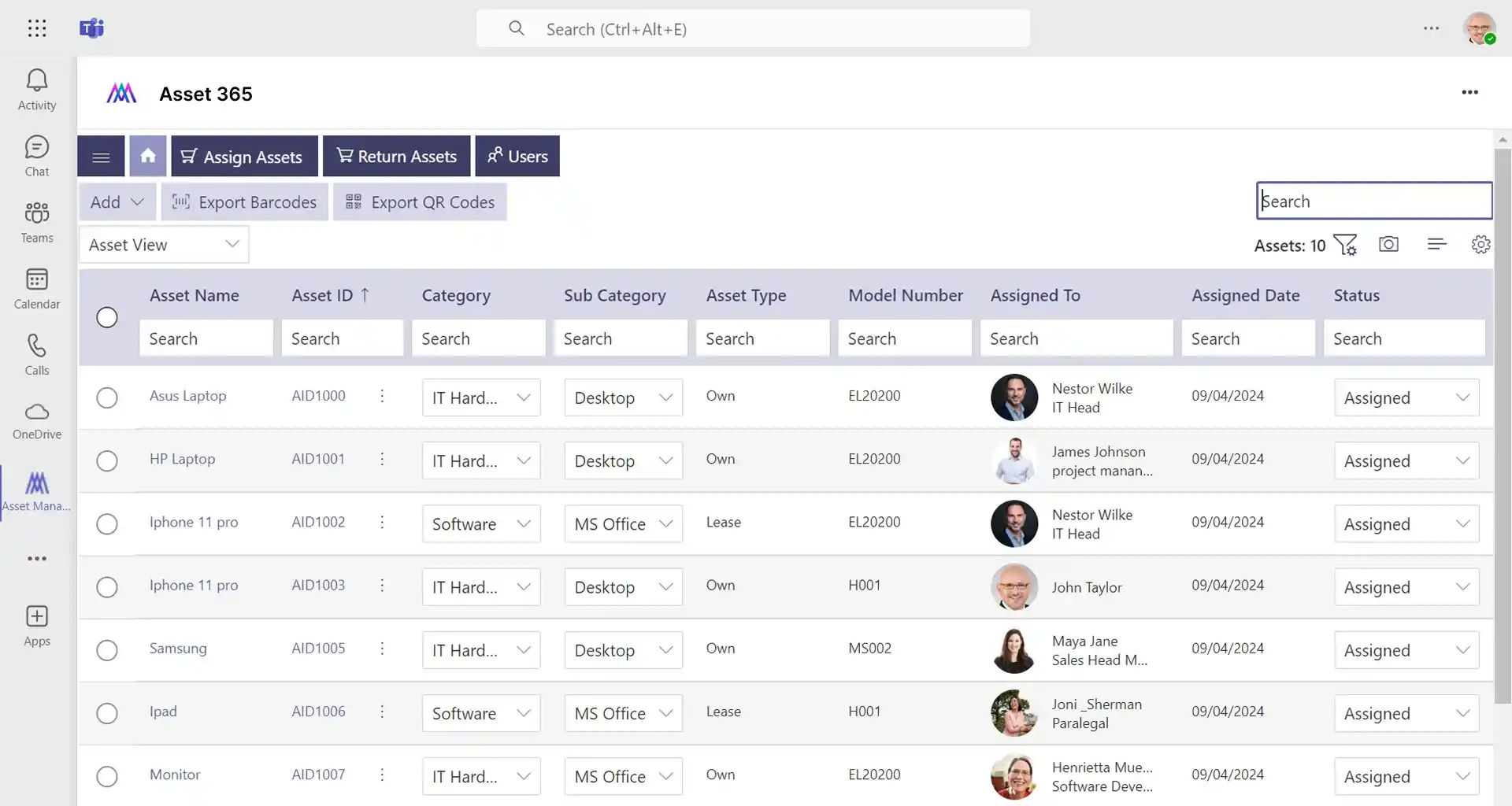
Asset visibility gives your team a clear, real-time view of every asset across the organization. Location details, status updates, and usage information stay easy to understand in one connected space. Teams work with confidence because every asset remains transparent, traceable, and ready when needed.
Asset Assignment
Asset assignment keeps every item linked to the right person or department with complete clarity. Ownership, handovers, and returns stay organized in one connected view, helping teams understand who holds each asset at any moment. This creates smoother workflows, reduces confusion, and supports confident daily operations.
Unified Asset Database
A unified asset database brings all asset information into one structured, easy-to-use space. Details, documents, timelines, and ownership records stay connected and simple to navigate, giving every team a reliable source of truth. This creates smoother collaboration and keeps asset data clear and consistent across the organization.
Automated Notifications and Status Update
Automated notifications and status updates keep your team informed without any extra effort. Renewal dates, returns, maintenance schedules, and important asset changes appear instantly so teams can act without delay. This steady flow of updates supports timely action, reduces delays, and helps every team stay aligned.
Built to Work with Microsoft 365 & Beyond
Designed to work with Microsoft 365, it connects with Teams, Outlook, SharePoint, and other familiar tools, creating a unified asset ecosystem that keeps information organized, easy to follow, and ready for every team.
Connection that Works
Connect your asset management with the tools you already use, from Teams to SharePoint and beyond, bringing records, updates, and insights together in one connected workspace where everything stays in sync.
Manage Assets Smarter with All the Features You Need
Asset Management 365 integrates every essential feature to simplify tracking, improve asset visibility, and streamline your operations.

Asset Tracking
Asset tracking keeps every item visible, organized, and easy to follow, giving your team real-time clarity on location, status, and usage across the entire workspace.
Inventory management
Inventory management keeps stock and fixed assets organized, visible, and easy to monitor across your organization.
Software Assets
Software assets stay organized and easy to monitor, giving your team clear visibility into licenses, renewals, and usage across the organization.

Maintenance & lifecycle
Maintenance and lifecycle tracking keeps every asset updated through each stage, helping your team plan repairs, renewals, and replacements with confidence.

Roles & Permissions
Roles and permissions keep asset access controlled and organized, ensuring every team member views and manages only what aligns with their responsibilities.

Quick actions
Quick actions help teams complete common tasks faster, offering instant options for updates, assignments, and status changes in just a few clicks.

Asset Booking
Asset booking makes shared items easy to reserve, giving your team a simple way to schedule, use, and return assets without confusion.
Asset Acknowledgement
Asset acknowledgement confirms when an item is received or returned, giving your team clear proof of ownership and smooth handovers every time.
Reports & analytics
Reports and analytics present organized insights into asset usage, status, and performance, helping your team understand trends and make informed decisions with confidence.
Asset Management 365 Anywhere, Anytime
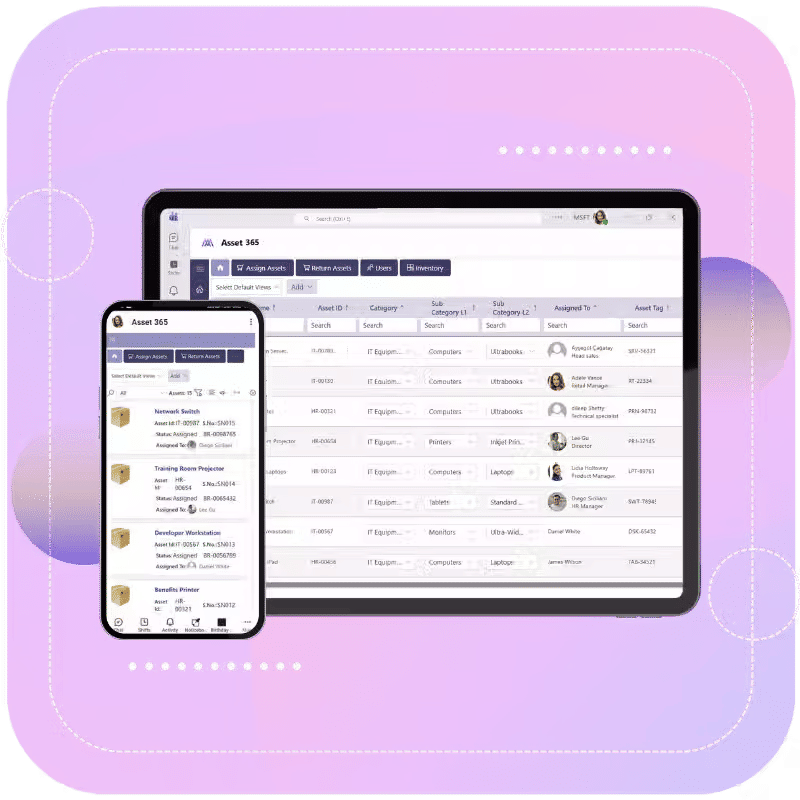
Work from anywhere with full control over your assets. You can view asset details, updates, and assignments right from your phone or laptop. Everything stays within reach, so your team can keep asset operations moving no matter where they are.
Why Asset Management 365?
Asset Management 365 brings clarity, structure, and efficiency to your entire asset ecosystem. It helps teams stay organized, informed, and confident by keeping every asset easy to track, understand, and manage in one connected workspace.

Built for Microsoft 365
It works inside the tools your team already uses, including Teams, SharePoint, and Outlook. No extra setup or complex onboarding, it fits naturally into your Microsoft workspace.

Everything in One Place
All your assets, updates, and records stay together. You can see where each item is, who has it, and what needs attention without switching tools.
Faster, Smarter Asset Control
Updates, assignments, and tracking feel effortless. Clear visibility and simple actions help your team work faster and stay informed at every step.

Secure & Ready to Grow
Your data remains inside Microsoft 365, keeping it protected and compliant. As your organization grows, the system expands with you, no limits, no complications.
Stay in Control of Every Asset with Asset Management 365
Live on Azure
Buy directly from Azure Marketplace or via your enterprise agreement.
Special Pricing for NPOs
Non-profits and government-funded educational institutes can avail exclusive rates.
Enterprise Pricing for 50+ Users
Organizations with more than 50 users can avail special pricing.
Apps 365 Advantage
Apps365 delivers smart, cloud-powered solutions that simplify operations and fuel growth. With seamless integrations and top-tier security, it helps businesses stay agile, efficient, and ahead of the curve.
Cyber Security
Cyber Security in GCC & GCC High within the Microsoft environment places high importance on stringent measures to protect sensitive government data, ensuring security with robust defenses and Microsoft applications.

GCC & GCC High
Our apps are built for GCC & GCC high tenants of US Federal clouds.
SOC2 Type II Certified
Our apps ensure security, compliance, and data protection
MS Azure Marketplace
Our apps are tested by Microsoft and available on MS Azure Marketplace
Microsoft Appstore
Our innovative applications are available on the Microsoft Appstore.
Customer Support
Your Support Team merges technical prowess with sincere care, fostering trust through expertise and empathy. They build lasting relationships, transcending mere service to create meaningful connections.

AI Enabled Apps
Our innovative apps are built with the options of Azure AI, Copilot, and custom AI solutions.

Swift Deployment
Choose any deployment method—Teams, Outlook, or SharePoint—that suits your preferences.

Modern UI/UX
Every app is crafted using the latest Fluent UI, ensuring seamless functionality across all devices.

Free Updates
Our valued subscribers enjoy unlimited support, enhancements, features, and updates.
SharePoint Consultant, Raymond West
California
Finance Manager, Exeevo
New York
IT Director, Frontier Waste Solutions
Texas, US
Sharepoint Developer, Recor Medical
Washington, US
Business Manager, Cerilon
Canada
Director of IT, JConnelly
New York
System Admin
Oregon, US
IT Manager, Pallas LLP
England, UK
IT Officer, HanmiGlobal Saudi
Saudi Arabia
ICT Manager, SMT Shipping
Europe
Barton Associates
Cofounder
Vice President of Operations
Head Of Information & Technology
Director of Infrastructure
Customer Testimonials
Hear from teams who have strengthened their asset control and improved daily operations with Asset Management 365.
Clients Speak
Single Platform for All Your Assets
Asset Management 365 brings assets, teams, and tools together inside Microsoft 365, giving you clarity, control, and a connected workspace.
Book a Personalized Demo!
Frequently Asked Questions
Asset Management 365 is a Microsoft 365–based solution that helps teams organize, track, and manage all types of assets—including stock, fixed assets, and software—inside a familiar workspace.
It connects with Teams, SharePoint, Outlook, and other Microsoft 365 apps, creating a unified space where asset details, updates, and collaboration come together.
Any team that handles assets—IT, HR, Finance, Operations, and Administration—can use it to manage assignments, inventory, software licenses, and asset lifecycles.
Yes. It handles both fixed assets and stock items, keeping all records organized, updated, and easy to follow from one place.
Absolutely. You can monitor licenses, renewals, and usage to stay compliant and avoid duplicate costs.
Yes. All data remains inside your Microsoft 365 tenant, following Microsoft’s built-in security, compliance, and governance standards.
Yes. Asset information, updates, and assignments can be viewed from phones or laptops, making it easy for teams to work from anywhere.
Yes. Teams can reserve shared items, schedule usage, and manage returns with built-in asset booking tools.
Yes. Every change, assignment, return, update, or status change, is recorded with a complete activity history.
Yes. Asset Management 365 is built to support expanding teams, increasing asset volumes, and evolving workflows without complexity.
Schedule a free personalized 1:1 demo
By proceeding, you accept Cubic Logics’s terms and conditions and privacy policy


By proceeding, you accept Cubic Logics Terms and Conditions and Privacy Policy
Try It Free, No Obligation


Don't leave yet,
get up to 30% special offer until 31st December 2025,
Enter your business email ID and we will send a personalized coupon code straight to your inbox.
Please provide your contact details, we will connect with you soon!
Request for the custom price
By proceeding, you accept Cubic Logics Terms and Conditions and Privacy Policy
Schedule a free personalized 1:1 demo
By proceeding, you accept Cubic Logics’s terms and conditions and privacy policy


Request of the Free License
By proceeding, you accept Cubic Logics Terms and Conditions and Privacy Policy