

10 Best Subscription Billing Software In 2026: Features & Benefits

SaaS and media are no longer the only subscription business models. Nowadays it is a part of daily routine in terms of meal planning and gym subscriptions to ecommerce subscriptions. This has altered the way individuals consume and pay products.
Customers have become more willing to have continuous access, flexibility, and services that suit their needs in the long run.
Subscription billing software enables businesses to manage recurring payments for subscription-based products and services with ease. It automatically generates invoices, processes payments, and monitors billing cycles, reducing the dependency on manual tasks and minimizing errors.
With the increase in subscriptions, companies require a require reliable subscription billing software to process recurring payments and change plans and minimize expensive errors.
What Is Subscription Billing Software?
Subscription billing software helps businesses manage recurring payments, automate invoices, track subscriptions, and handle billing cycles for products or services. It takes care of invoicing, payment collection and billing schedules.
In addition to basic billing, it also supports flexible pricing models like monthly, annual, or usage-based plans. Businesses can automate renewals, send payment reminders, and manage subscription billing in one place. This allows teams to maintain accurate financial records, monitor revenue trends, and improve overall billing visibility as the business grows.
Why Businesses Need Subscription Billing Software
A study by Market.us the global subscription economy market is expected to reach around USD 2,129.92 billion by 2034. It is growing from USD 487.0 billion in 2024 at a steady rate of 15.9 percent every year from 2025 to 2034. This is the reason why subscription billing software is significant in contemporary businesses.
1. Manages Complex Billing Models
With the growth in subscription businesses, several pricing plans, free trials, plan modifications, and usage-based billing are offered. When these are done manually, there is a high probability of errors. The subscription billing software will facilitate such pricing models and charge the individual customers according to the plan they have chosen.
2. Supports Business Growth
Billing is becoming difficult to control as the customer base continues to grow and the manual process tend to slow down the operations. The subscription billing software enables the business to manage the increasing customer base promptly by automating the recurring payment. This helps the teams to work more on product enhancements and customer experience rather than billing activities.
3. Keeps Billing Records Clear
Proper records are significant in reporting, audits and customer trust and it can be impacted by even minor billing problems. The subscription billing software maintains elaborate records on payments and provides businesses with a clear picture of the monthly income and forecast SaaS revenue trends.
4. Helps Follow Local Rules
Subscriptions companies usually have clients in various locations, each with varying tax and payment regulations. This is hard to manage manually. A software for subscription billing assists companies to comply with the laws and industry regulations in the region and minimize legal and financial risks.
5. Supports Predictable Revenues
The subscription models are based on periodic payments. Late or missing billing may impact cash flow. subscriptions billing software assists in collecting payments in time and maintaining the revenue constant which is essential in long-term planning
10 Best Subscription Billing Software
We have compiled a list software for subscription billing that can be used by companies that have recurring revenue model. These platforms are useful whether you are a startup or growing SaaS company and need to keep billing straight to focus more on the business growth.
Product | Integration |
Revenue 365 | MS Teams, SharePoint, Outlook and Power BI |
Chargebee | Xero, NetSuite, HubSpot and QuickBooks |
Zoho Billing | Zoho CRM, Zoho Books and other Zoho apps |
Stripe Billing | NetSuite, Salesforce and Snowflake |
Recurly | ChartMogul, Google Cloud platform, Xero, and Zapier |
DealHub.io | Sage Impact, Xero, Slack and HubSpot |
Maxio | Avalara, Pipedrive, Xero and Salesforce |
Zuora | NetSuite, HubSpot and SAP |
Togai | Amazon S3, Stripe and Sage |
Younium | HubSpot, Visma and TaxJar |
1) Revenue 365
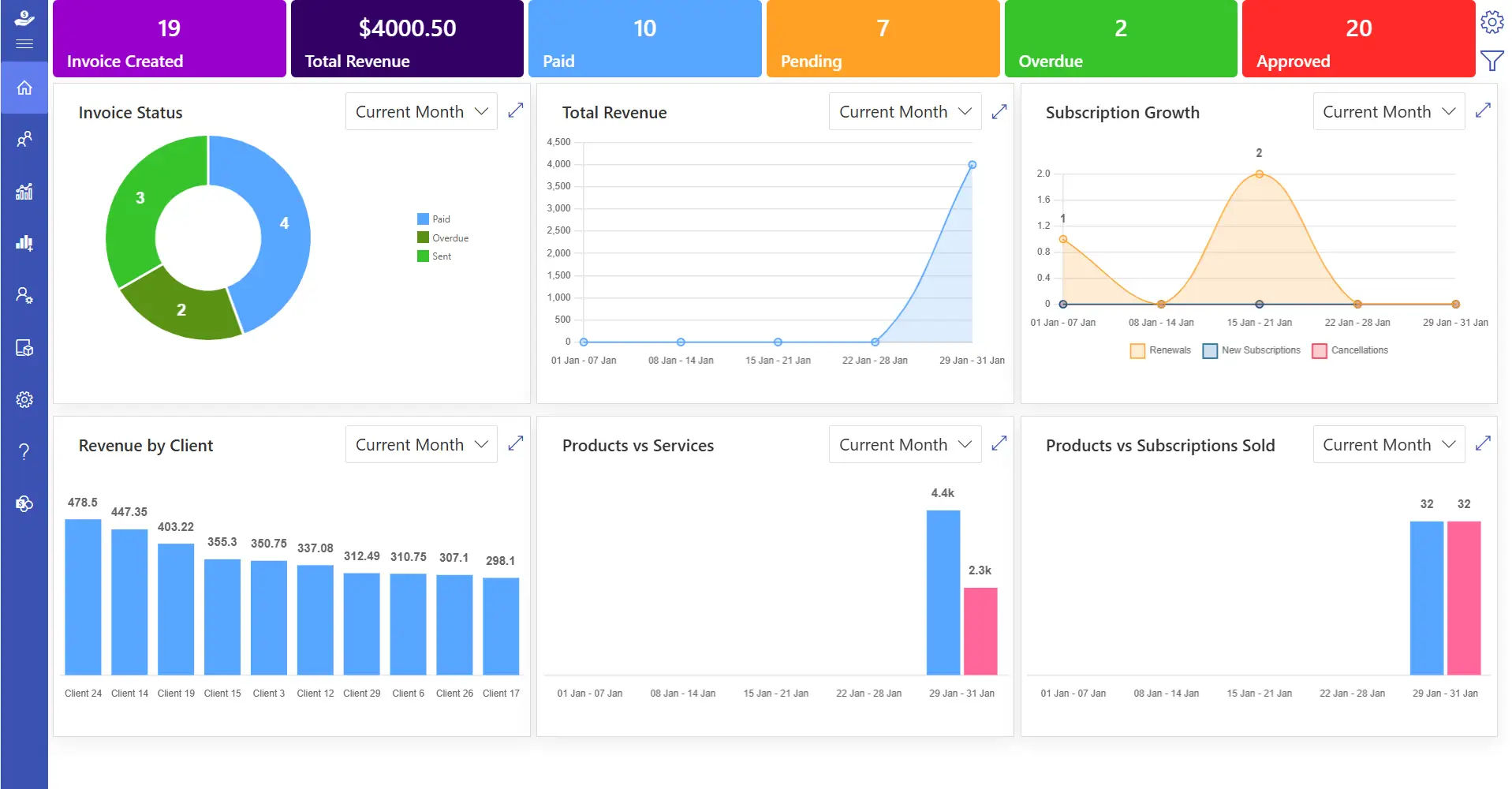
Revenue 365 is a subscription billing system that is developed on the Microsoft platform. It integrates with SharePoint, Microsoft Teams, Outlook, Power BI, and Azure, so it is a good solution when a company is already using Microsoft 365.
The subscription billing software enables teams to price, generate quotes and run subscriptions through one system. Its integration with Microsoft applications assists teams to operate safely when they are involved in carrying out billing tasks without having to switch between various platforms.
Key Features
- Receive live notifications for invoices, payments, and customer actions
- Manage tax settings based on business needs
- Add custom fields for customers, users, and projects
- Create invoice numbers with custom prefixes and suffixes
- Support bundled plans and add-on services
- Use one system to manage all billing activities
- Schedule recurring billing automatically
- Capture billing details quickly
- Monitor payment status after invoices are issued
- View detailed financial reports
Trial Period
14-day free trial with no credit card required
Best Known For
Revenue 365 is also reputed to have made recurring billing easier with automation and high data security in the Microsoft environment.
2) Chargebee
Chargebee is a subscription billing system that assists companies to handle recurring payments and monitor income. It has automated subscription billing, subscription controls and reporting tools which can be integrated with the existing business systems. The platform also supports pricing tests, and teams can easily test new plans and revert to previous plans when required.
Key Features
- Access clear billing and revenue reports
- Manage chargebacks and disputes from one dashboard
- Customize invoices to match brand needs
- Built-in accounting support
- Combine multiple charges into a single invoice
- Adjust charges automatically for mid-cycle plan changes
- Track revenue based on service periods
Trial Period
7-day free trial
Best Known For
Chargebee is popular due to its fast deployment, powerful integrations, and features that allow minimizing payment failures and customer drop-off.
Recommended Read: 7 Best Chargebee Alternatives: A Complete Guide
3) Zoho Billing
Zoho Billing is aimed at maintaining billing records that are precise and manageable. It monitors all the transactions closely and assists the teams to have clear financial records and customer confidence. This subscription billing for SaaS businesses that prefer to have stable billing without any additional complexity.
Key Features
- Flexible billing cycle subscription plans
- Auto invoicing and payment reminders
- Multi-currency and tax support
- Proration and use based billing
- Individual invoice design features
- Revenue reports and analytics
- Integrates with Zoho Books and CRM among others
- Payment and plan update customer portal
Trial Period
14-day free trial without credit card
Best Known For
Zoho Billing is known to have a tight integration with Zoho and has low-cost plans to small and mid-sized businesses.
4) Stripe Billing
Stripe Billing is one of the best subscription billing software that is based on the payment infrastructure of Stripe. It facilitates recurring and usage-based billing and is scalable to business expansion. SaaS subscription providers that prefer robust payment support across geographical locations often use it.
Key Features
- Usage and subscription billing
- Automated retries of failed charges
- Accepts a wide variety of payment options
- Automatic invoice creation
- Tax handling with Stripe Tax
- Integrates Stripe Payments and others
- Developer-friendly APIs
- Customer billing portals
Trial Period
Free to start, no trial period
Best Known For
Stripe Billing is known for its global payment reach and developer-focused setup.
5) Recurly
Recurly is a subscription billing software that is used by large businesses and growing companies. It provides solutions that assist in enhancing customer retention and recurring revenue. It facilitates international business and enhanced subscription systems. It also offers advanced analytics that help businesses track performance and make informed revenue decisions.
Key Features
- Trial support, discounts and add-ons
- Automated follow-ups of payments
- PayPal, Avalara, and Salesforce integration
- Multi-language and multi-currency
- Subscriptions analytics and revenue predictions
- Revenue recognition tools
- Custom APIs
Trial Period
Free trial available through sales request
Best Known For
Recurly is recognized for enterprise-level stability and strong tools for reducing customer cancellations.
6) DealHub.io
DealHub.io is a B2B sales team-based CPQ and subscription billing software. It integrates pricing, billing, and contracts into a single system to facilitate complicated sales cycles. It is a reliable tool that helps team to deal with CPQ process and close deals in a shorter time.
Key Features
- Configure Price Quote (CPQ) system
- Guided sales workflows
- Electronic signatures and document generation
- Buyer intent tracking
- CRM links with Salesforce and HubSpot
- Sales and pricing analytics
Trial Period
No free trial, demo available on request
Best Known For
DealHub.io is associated with the high quote-to-revenue pipeline and CRM-oriented B2B sales team configuration.
7) Maxio

Maxio is designed to grow B2B SaaS companies and it facilitates billing and revenue tracking with simple to use tools. The system eliminates manual work, maintains the accuracy of billing data, and gives a clear picture of financial performance. Managing all billing and revenue details in a single location, teams can administer complex pricing models and spend additional time to core business objectives.
Key Features
- Advanced billing and invoicing
- Revenue recognition based on accounting standards
- Financial reports and forecasts
- Payment follow-up management
- Multi-entity billing support
- Contract-based billing
- Custom pricing options
- Integrates with CRMs and accounting tools
Trial Period
30-day free trial, demo available
Best Known For
Maxio is reputed to have robust financial reporting and billing that is compliance-oriented of B2B SaaS companies.
8) Zuora
Zuora is a billing and revenue management software that is applied by big organizations across the globe. It is designed to support high transaction volumes, international clients and various revenue models. The platform facilitates usage-based pricing, multi-currency accounting, and revenue tracking tools that assist businesses to handle complicated billing.
Key Features
- Usage and subscription-based billing
- Real-time usage tracking
- Automated tax and invoicing
- Tiered and differentiated pricing models
- Multi-currency payment support
- ERP and CRM integrations
- Renewal and upgrades
Trial Period
30-day trial
Best Known For
Zuora is also famous because of its massive billing and complete revenue management solutions.
9) Togai
Togai is a modern billing and metering platform designed to be used by usage-based and product-led SaaS businesses. It enables teams to monitor real-time usage, establish flexible price regulations, and charge consumers correctly. Companies can experiment with various pricing schemes, charge on a usage basis.
Key Features
- Live usage tracking
- Event-based pricing rules
- Automated billing and invoicing
- Customer notifications and portals
- API-first design
- Usage analytics dashboard
- Product and CRM integrations
Trial Period
7 to 30-day free trial
Best Known For
Togai is most popular in the real-time usage billing and flexible pricing control.
10) Younium
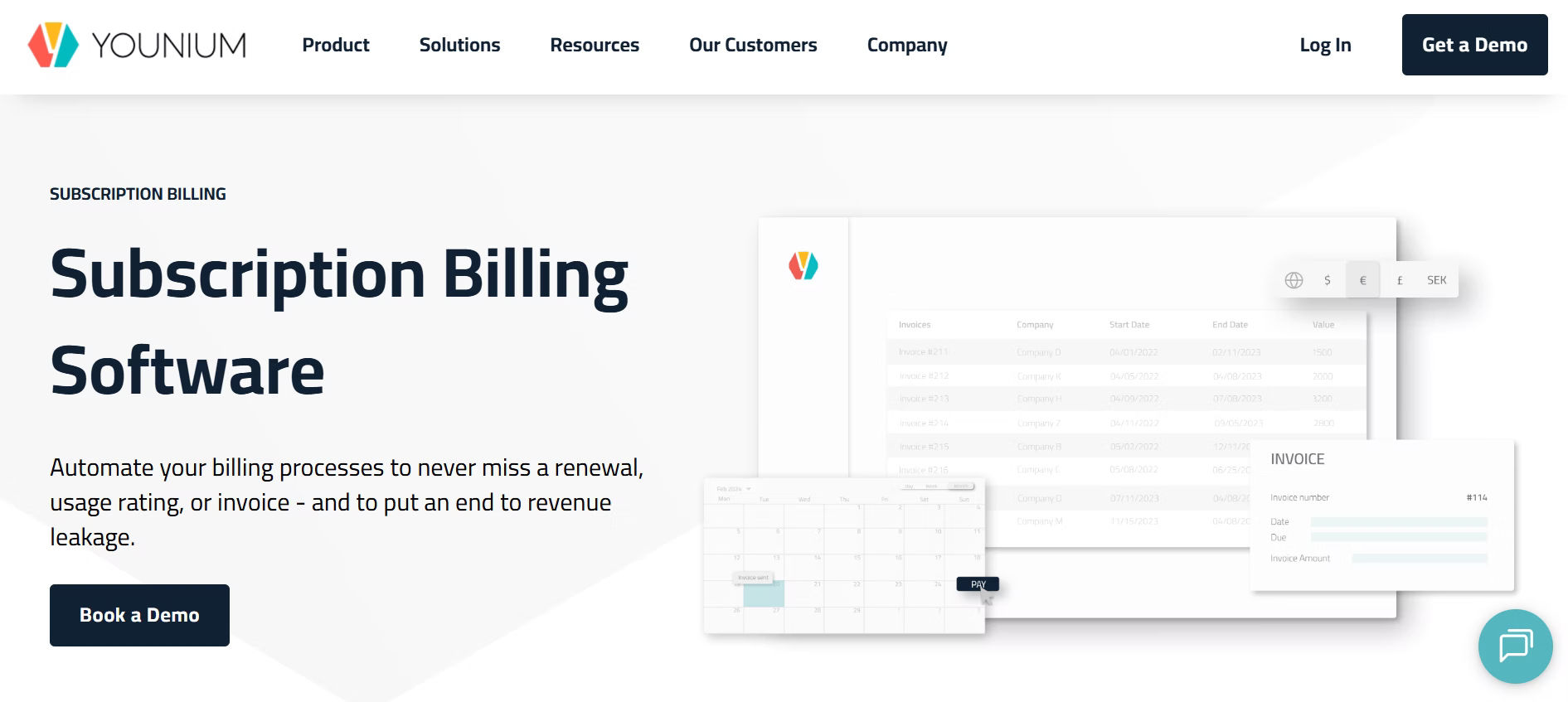
Younium is a billing and management platform created on top of B2B SaaS. It assists finance and operations departments to handle recurring billing and revenue reports using a single system. It helps businesses to keep the right financial records and manage complicated billing arrangements as they expand.
Key Features
- Contract-based subscription management
- Automated invoicing and revenue tracking
- Custom billing cycles and pricing
- Financial reports and forecasts
- CRM and ERP connections
- Multi-entity and multi-currency support
- Audit-ready records
Trial Period
30-day free trial
Best Known For
Younium has a reputation of billing based on contracts and financial control of B2B teams.
Common Challenges Without Subscription Billing Software
Running a subscription-based business without the right tools can slowly become difficult to manage. Below are some common situations businesses face when they don’t use a dedicated subscription billing software.
Revenue Impact from Billing Issues
When billing is done manually or with basic tools, small mistakes can happen. A customer may be billed the wrong amount or skipped in a billing cycle. These situations can affect revenue and customer trust. Subscription billing software automates billing tasks so charges are applied correctly and on time.
Managing Growth Takes More Effort
As a business grows, handling multiple plans, add-ons, and trial periods becomes more time-consuming. Keeping track of active users and plan changes can require extra manual work. A billing system software helps manage this growth by handling recurring charges and plan updates in one place.
Limited View of Revenue Data
Without proper tools, it can be hard to understand how much revenue comes in each month or how customer subscriptions change over time. Subscription billing software provides clear reports that show income, subscription renewals, and cancellations, making planning easier.
Customer Billing Experience Can Suffer
Customers expect billing to be simple and clear. If payments fail, invoices arrive late, or plan changes take time, customers may feel unhappy. Billing software helps by sending payment reminders, processing plan changes smoothly, and keeping billing records updated.
Difficulty Connecting with Other Tools
Many businesses use different tools for accounting, CRM, and reporting. Without a billing system, teams may need to update data in multiple places. Modern subscription billing software connects with other business tools, helping teams work faster and stay organized.
How to Choose the Right Solution for Your Business?
With many subscription billing tools available today, choosing the right one can take time. The best option should support your current setup and be able to support your business as it grows. Below are the key points to review before deciding.
Understand Your Business Needs
Before selecting a tool, be clear about how your billing works today and what you may need later. This helps you choose a solution that fits your business.
- Decide whether you need fixed pricing, usage-based pricing, or both
- Review your customer base size and future growth plans
- Write down required features such as proration, payment follow-ups, or usage tracking
Look for Easy Use and Setup
Billing software should reduce manual work, not add more steps. A simple layout and setup process can save time for your team.
- Check for clean dashboards and step-by-step setup
- Choose a tool that is easy for your team to learn
- Look for help guides, videos, or onboarding support
Check Compatibility with Current Tools
Your billing software should work well with the tools you already use so data stays aligned across systems.
- List the platforms you already use for
- Look for ready-made integrations or API support
- Make sure data updates correctly across tools
Review Flexibility and Custom Options
Billing data is useful in knowing the performance of your business over time. In the absence of an explicit access to this data, it is more difficult to monitor the revenue and customer activity.
- Check if invoices and plans can be customized
- Monitor payment transactions and customer expenses
- Favor those tools which permit custom reports
Review Reports and Data Access
Subscription billing software is not only internal team based. It is also interacted with by customers when they see invoices, pay or update their plans. Simple and easy billing options allow the customers to feel at ease with their subscriptions.
Find customer portals and convenient payment
- Look at the procedure of sharing invoices
- Multiple language and payment support can be helpful
Think About the Customer Side
One of the factors that should be considered when choosing subscription billing software is cost. Pricing must be affordable and must be reasonable as your business expands. Trial period will make you know how the tool will operate in real life before deciding.
- Look for customer portals and easy payment options
- Check how invoices and payment messages are shared
- Support for multiple languages or payment methods may help
Compare Pricing and Trial Access
Cost is an important factor when selecting billing software. Pricing should fit within your budget and remain reasonable as your business grows. A trial period helps you understand how the tool works in real situations before making a choice.
- Compare monthly and yearly pricing plans
- Check for extra charges like setup or add-ons
- Use the trial period to test real billing tasks
Best Practices for Implementing Subscription Billing Software
Implementing subscription billing software requires careful planning and execution to avoid issues during daily operations. The following best practices help businesses set up and manage the system effectively.
- Map all subscription workflows before going live, including renewals, pauses, and cancellations
- Assign clear ownership for billing operations within your team
- Set approval rules for plan changes, discounts, and refunds
- Validate tax rules and payment rules for each region you operate in
- Run parallel billing for a short period to confirm results match expectations
- Monitor failed payments daily and set retry schedules early
- Keep detailed logs for invoices, payments, and account changes
- Schedule regular audits to spot gaps in billing data
- Create a backup plan for billing data and system access
- Review billing performance quarterly and adjust processes as the business grows
Conclusion
The best subscription billing software assists the companies to handle recurring payments, minimize billing problems, and comprehend revenue more. Revenue 365 provides the tools required to manage subscriptions effectively to companies that need a safe and scalable.
Join Our Creative Community
Frequently Asked Questions
What are the advantages of centralizing the subscription billing?
The centralization of subscription billing assists businesses to control payments, subscriptions and revenue in a single system, making it easier to track, minimizing manual processes and enhancing visibility in billing processes.
What platforms provide subscription billing software with multi-currency and multi-entity support?
Revenue 365, Zoho Subscriptions, and Paddle are platforms that facilitate multi-currency and multi-entity billing, which is why they are applicable to businesses that conduct their operations in various regions.
What solutions offer strong subscription billing features along with advanced financial reporting dashboards?
The subscription billing software such as Revenue 365, Zuora, Maxio, and Chargebee have in-depth subscription billing capabilities and financial dashboards that can assist teams to monitor the performance of revenue in a straightforward manner.
Can I customize invoices in Revenue 365?
Yes, Revenue 365 enables companies to design invoice templates, include their logo, change fields, and structure invoices to suit their branding and billing needs.


_JiluXJRGNl.svg)























