
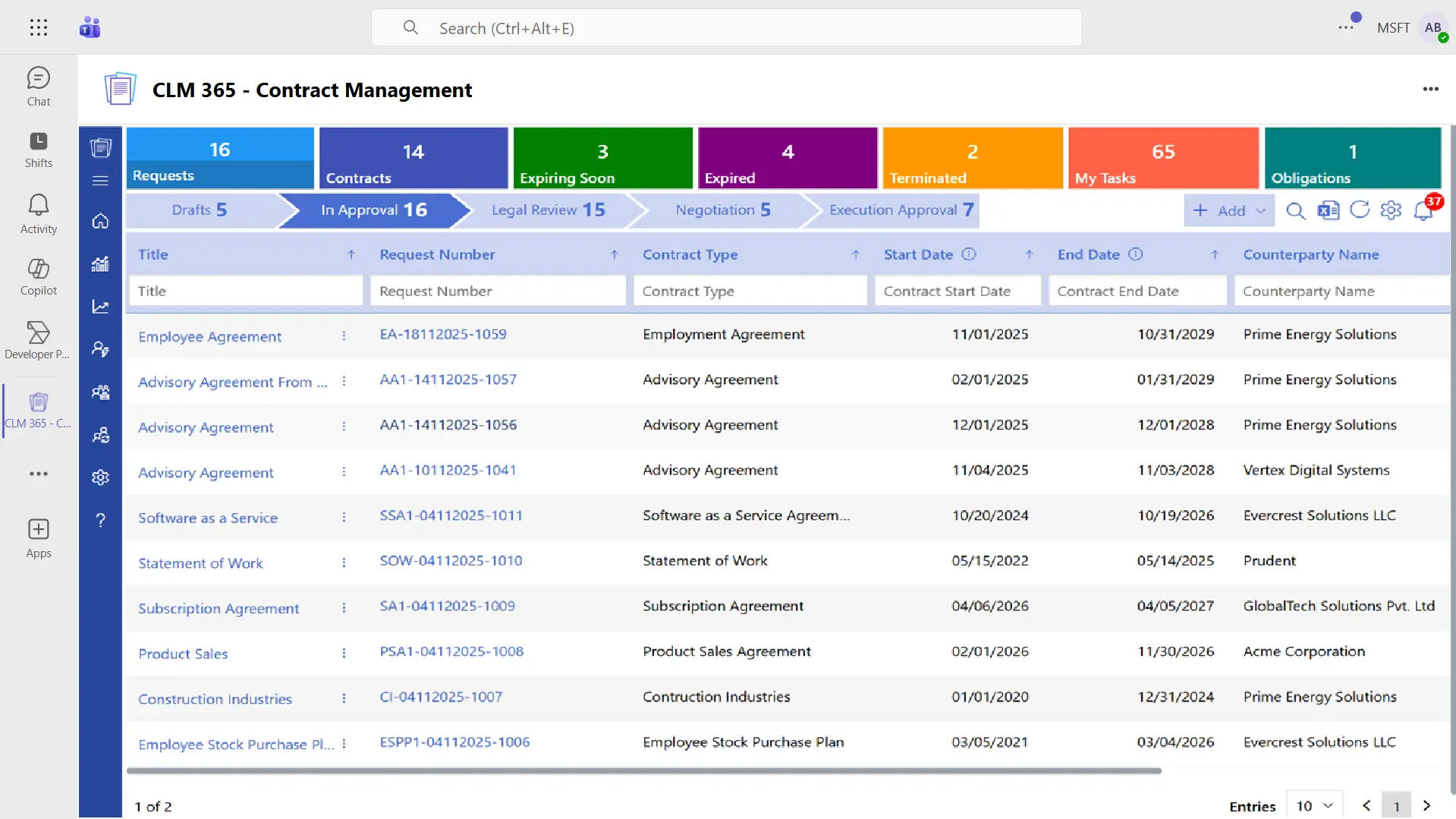
CLM 365 + MS Teams Integration
Stronger Collaboration Across Contract Teams
Microsoft Teams is where your people connect and get work done, so managing contracts there feels just right. With CLM 365, they can draft, route, approve, and store contracts without switching tools.
Making Contract Workflows Easier with MS Teams Integration
With the integration of CLM 365 and Microsoft Teams, your contract processes will be simplified and more transparent. By leveraging MS Teams integration, team members can receive instant notifications regarding changes in a contract, approvals, and deadlines. Businesses and counterparty can go through documents in real time, teams can solve problems quickly, clear up doubts on the spot, and keep the momentum going through all the phases of the contract lifecycle.
Accelerate Contract Lifecycle Cycle with MS Teams
Leveraging CLM 365 with Microsoft Teams contract management enhances teamwork by centralizing contract updates, discussions and approvals, because contract management will become more efficient and faster.
%20(1).webp)
Team Collaboration
It helps teams to work on a contract together, negotiate terms, exchange knowledge, and work in real-time, all inside Microsoft Teams.

Send Approvals
Simple to start, monitor, and manage contract approval requests in Teams, which makes decisions quicker and reduces issues.

Create Documents
Create, edit and view contract documents and templates in Teams quickly and synchronize with your CLM system.

Real-Time Notifications
Get real-time notifications in MS Teams about contract changes, approvals to be made, renewals, and deadlines to keep your teams always up to date.
Centralized Contract Channels
Store all contract-related communication, files, and activities in specific Teams channels and enhance transparency and cooperation within the teams.

Access Reports in Teams
Easily review contract summaries, detailed status reports, and performance insights are easily available in Teams, allowing data-driven decisions without exiting the platform.
MS Teams Integration - Improved Colloboration
Bringing Microsoft Teams contract management enables your team to work together easily. Draft, review, and edit contracts collaboratively, while tracking approvals and important deadlines without ever leaving MS Teams.
Get actionable insights and detailed reports right in MS Teams to make informed decisions more quickly. This integration makes work easier, enhances the productivity of teams, and makes contracts easy to handle throughout their duration.
Frequently Asked Questions
Can multiple team members work on a contract at the same time?
Yes. Using the MS Teams Integration, several team members can open the work on the same contract. Every individual can make edits, comment or check on the work that is being done by other individuals. All the changes are immediately visible and thus everyone views the new version. This assists teams to collaborate without having duplicated files.
Can I get reminders for contract renewals in MS Teams?
Yes. Reminders can be scheduled with the help of MS Teams integration that are linked to Teams. Admins are notified about an expiry or renewal date of an agreement. This allows teams to go over terms, performance overview and determine the next steps. Such reminders keep the teams informed on significant dates of the contract.
Does CLM 365 help me with contract negotiation?
Yes, contract negotiation enables teams to go through documents collectively and comment on particular parts. The members of the team are able to negotiate terms, propose modifications and see updates in real time. This holds discussions on the document under review.
Can CLM 365 support international contracts and multi-language documents?
Yes. CLM 365 supports international contracts and multi-language documents. Departments can store, review, and manage agreements written in different languages from one place. This helps global teams work together while following regional terms, formats, and business requirements with ease.
























